<?xml version="1.0" encoding="utf-8"?><feed xmlns="http://www.w3.org/2005/Atom" ><generator uri="https://jekyllrb.com/" version="3.10.0">Jekyll</generator><link href="http://gonsie.com/blorg/feed.xml" rel="self" type="application/atom+xml" /><link href="http://gonsie.com/" rel="alternate" type="text/html" /><updated>2026-03-02T21:25:14+00:00</updated><id>http://gonsie.com/blorg/feed.xml</id><title type="html">Elsa Gonsiorowski</title><subtitle>My Personal Website</subtitle><author><name>Elsa Gonsiorowski</name></author><entry><title type="html">Emacs Carnival: Org Mode Completions</title><link href="http://gonsie.com/blorg/org-completion-feb26-carnival.html" rel="alternate" type="text/html" title="Emacs Carnival: Org Mode Completions" /><published>2026-02-28T00:00:00+00:00</published><updated>2026-02-28T00:00:00+00:00</updated><id>http://gonsie.com/blorg/org-completion-feb26-carnival</id><content type="html" xml:base="http://gonsie.com/blorg/org-completion-feb26-carnival.html"><![CDATA[<p>I’m so happy to be joining <a href="https://sachachua.com/blog/2026/01/emacs-carnival-february-2026-completion/">this month’s emacs carnival</a>!
I love the idea behind these carnivals and I think it’s such a good way of building community virtually.</p>

<p>This month’s topic is Emacs completions.
I’m going to share a sort of “hack”… a way that I’ve been able to achieve completions within core org mode.</p>

<h2 id="org-mode-tempo-templates">Org Mode Tempo Templates</h2>

<p>Org Mode has long supported a template expansion mechanism, some times called “easy templates” or “structured templates”.
The default behavior changed dramatically in <a href="https://orgmode.org/worg/org-release-notes.html#orgf815049">version 9.2</a>, and is now built on top of the Emacs builtin <code class="language-plaintext highlighter-rouge">tempo.el</code>.</p>

<p><em>Update</em> To get the behavior described here, you must add <code class="language-plaintext highlighter-rouge">(require 'org-tempo)</code> to your config.</p>

<p>Essentially, you start a new line with <code class="language-plaintext highlighter-rouge">&lt;X</code> (where <code class="language-plaintext highlighter-rouge">X</code> is a pre-defined key), then hit <code class="language-plaintext highlighter-rouge">TAB</code> to have the template expanded.
For example, starting a new line with:</p>

<figure class="highlight"><pre><code class="language-org" data-lang="org">&lt;s</code></pre></figure>

<p>and hitting <code class="language-plaintext highlighter-rouge">TAB</code> will expand to:</p>

<figure class="highlight"><pre><code class="language-nil" data-lang="nil">#+begin_src

#+end_src</code></pre></figure>

<p>Super handy and very easy to remember.</p>

<h3 id="default-templates">Default templates</h3>

<p>The default are not entirely documented, though most are listed on the <a href="https://orgmode.org/manual/Structure-Templates.html">Structured Templates manual page</a>.</p>

<p>Listed again here for convenience:</p>

<table>
  <thead>
    <tr>
      <th>Key</th>
      <th>Expansion</th>
    </tr>
  </thead>
  <tbody>
    <tr>
      <td>&lt;a</td>
      <td><code class="language-plaintext highlighter-rouge">#+BEGIN_EXPORT ascii … #+END_EXPORT</code></td>
    </tr>
    <tr>
      <td>&lt;c</td>
      <td><code class="language-plaintext highlighter-rouge">#+BEGIN_CENTER … #+END_CENTER</code></td>
    </tr>
    <tr>
      <td>&lt;C</td>
      <td><code class="language-plaintext highlighter-rouge">#+BEGIN_COMMENT … #+END_COMMENT</code></td>
    </tr>
    <tr>
      <td>&lt;e</td>
      <td><code class="language-plaintext highlighter-rouge">#+BEGIN_EXAMPLE … #+END_EXAMPLE</code></td>
    </tr>
    <tr>
      <td>&lt;E</td>
      <td><code class="language-plaintext highlighter-rouge">#+BEGIN_EXPORT … #+END_EXPORT</code></td>
    </tr>
    <tr>
      <td>&lt;h</td>
      <td><code class="language-plaintext highlighter-rouge">#+BEGIN_EXPORT html … #+END_EXPORT</code></td>
    </tr>
    <tr>
      <td>&lt;l</td>
      <td><code class="language-plaintext highlighter-rouge">#+BEGIN_EXPORT latex … #+END_EXPORT</code></td>
    </tr>
    <tr>
      <td>&lt;q</td>
      <td><code class="language-plaintext highlighter-rouge">#+BEGIN_QUOTE … #+END_QUOTE</code></td>
    </tr>
    <tr>
      <td>&lt;s</td>
      <td><code class="language-plaintext highlighter-rouge">#+BEGIN_SRC … #+END_SRC</code></td>
    </tr>
    <tr>
      <td>&lt;v</td>
      <td><code class="language-plaintext highlighter-rouge">#+BEGIN_VERSE … #+END_VERSE</code></td>
    </tr>
  </tbody>
</table>

<p>In addition to those blocks, there are also some quick tags:</p>

<table>
  <thead>
    <tr>
      <th>Key</th>
      <th>Expansion</th>
    </tr>
  </thead>
  <tbody>
    <tr>
      <td>&lt;L</td>
      <td><code class="language-plaintext highlighter-rouge">#+latex:</code></td>
    </tr>
    <tr>
      <td>&lt;H</td>
      <td><code class="language-plaintext highlighter-rouge">#+html:</code></td>
    </tr>
    <tr>
      <td>&lt;A</td>
      <td><code class="language-plaintext highlighter-rouge">#+ascii:</code></td>
    </tr>
    <tr>
      <td>&lt;i</td>
      <td><code class="language-plaintext highlighter-rouge">#+index:</code></td>
    </tr>
    <tr>
      <td>&lt;I</td>
      <td><code class="language-plaintext highlighter-rouge">#+include:</code> (will interactively find file to include)</td>
    </tr>
  </tbody>
</table>

<p>You can see that there is sort of a convention, uppercase letters usually insert a tag, whereas lowercase letters are mainly for blocks (though it’s definitely not perfect).</p>

<h3 id="additional-templates">Additional Templates</h3>

<p>Some additional templates can be defined by packages.
For example, the <a href="https://gitlab.com/oer/org-re-reveal">org-re-reveal</a> package adds:</p>

<table>
  <thead>
    <tr>
      <th>Key</th>
      <th>Expansion</th>
    </tr>
  </thead>
  <tbody>
    <tr>
      <td>&lt;n</td>
      <td><code class="language-plaintext highlighter-rouge">#+begin_notes ... #+end_notes</code></td>
    </tr>
  </tbody>
</table>

<h2 id="basic-customization">Basic Customization</h2>

<p>You can add your own tags and blocks.
In fact, there is actually no need for the “keys” to single characters.</p>

<h3 id="adding-tags">Adding Tags</h3>

<p>Adding another tag is very easy, seen here:</p>

<figure class="highlight"><pre><code class="language-elisp" data-lang="elisp"><span class="p">(</span><span class="nv">add-to-list</span> <span class="ss">'org-tempo-keywords-alist</span> <span class="o">'</span><span class="p">(</span><span class="s">"N"</span> <span class="o">.</span> <span class="s">"name"</span><span class="p">))</span></code></pre></figure>

<p>Which results in this completion:</p>

<table>
  <thead>
    <tr>
      <th>Key</th>
      <th>Expansion</th>
    </tr>
  </thead>
  <tbody>
    <tr>
      <td>&lt;N</td>
      <td><code class="language-plaintext highlighter-rouge">#+name:</code></td>
    </tr>
  </tbody>
</table>

<h3 id="create-a-new-hotkey">Create a New Hotkey</h3>

<p>I don’t like the <code class="language-plaintext highlighter-rouge">&lt;E</code> hotkey for export block, instead I would like that to be <code class="language-plaintext highlighter-rouge">&lt;x</code>.
That is easily added with:</p>

<figure class="highlight"><pre><code class="language-elisp" data-lang="elisp"><span class="p">(</span><span class="nv">add-to-list</span> <span class="ss">'org-tempo-tags</span> <span class="o">'</span><span class="p">(</span><span class="s">"&lt;x"</span> <span class="o">.</span> <span class="nv">tempo-template-org-export</span><span class="p">))</span></code></pre></figure>

<h3 id="create-a-completion">Create a Completion</h3>

<p>You can define your own completion with the <code class="language-plaintext highlighter-rouge">tempo-define-template</code> function (see the doc string for full details).
It is very flexible!
You can specify where the cursor (or “prompt”) ends up after the completion, or you can interactively prompt (via the minibuffer) for additional details.
There are more advance features, including auto indentation and dealing with regions.</p>

<h2 id="my-custom-completions">My Custom Completions</h2>

<p>There is no requirement that these templates be simply blocks or tags.
I’ve implemented about 5 custom templates, but here are a few that I think would be most useful for others.</p>

<h3 id="properties-drawer1">Properties Drawer<sup><a id="fnr.1" class="footref" href="#fn.1" role="doc-backlink">1</a></sup></h3>

<p>Org headings can have properties, specified by the <a href="https://orgmode.org/manual/Property-Syntax.html">properties drawer</a>:</p>

<figure class="highlight"><pre><code class="language-org" data-lang="org">:PROPERTIES:

:END:</code></pre></figure>

<p>I add this as <code class="language-plaintext highlighter-rouge">&lt;p</code> via this implementation code:</p>

<figure class="highlight"><pre><code class="language-elisp" data-lang="elisp"><span class="p">(</span><span class="nv">tempo-define-template</span> <span class="s">"org-properties-block"</span>
                       <span class="o">'</span><span class="p">(</span><span class="s">":PROPERTIES:"</span> <span class="nv">n</span>
                         <span class="p">(</span><span class="nv">p</span><span class="p">)</span> <span class="nv">n</span>
                         <span class="s">":END:"</span> <span class="nv">n</span> <span class="nv">%</span><span class="p">))</span>
<span class="p">(</span><span class="nv">add-to-list</span> <span class="ss">'org-tempo-tags</span> <span class="o">'</span><span class="p">(</span><span class="s">"&lt;p"</span> <span class="o">.</span> <span class="nv">tempo-template-org-properties-block</span><span class="p">))</span></code></pre></figure>

<h3 id="title-block">Title Block</h3>

<p>This is one that I use most frequently.
It’s a title block that I start all my org documents with.
It also executes a function call to <code class="language-plaintext highlighter-rouge">format-time-string</code> to get today’s date in my preferred format.
By having this completion, all of my org documents get a title with a date and I always know when I started working on a document!</p>

<p>My desired result:</p>

<figure class="highlight"><pre><code class="language-org" data-lang="org">#+title:
#+author: Elsa Gonsiorowski
#+date: February 28, 2026</code></pre></figure>

<p>The implementation code:</p>

<figure class="highlight"><pre><code class="language-elisp" data-lang="elisp"><span class="p">(</span><span class="nv">tempo-define-template</span> <span class="s">"org-title-block"</span>
                       <span class="o">'</span><span class="p">(</span><span class="s">"#+title: "</span> <span class="p">(</span><span class="nv">p</span><span class="p">)</span> <span class="nv">n</span>
                         <span class="s">"#+author: Elsa Gonsiorowski"</span> <span class="nv">n</span>
                         <span class="p">(</span><span class="nv">concat</span> <span class="s">"#+date: "</span> <span class="p">(</span><span class="nv">format-time-string</span> <span class="s">"%B %e, %Y"</span><span class="p">))</span> <span class="nv">n</span> <span class="nv">%</span><span class="p">))</span>
<span class="p">(</span><span class="nv">add-to-list</span> <span class="ss">'org-tempo-tags</span> <span class="o">'</span><span class="p">(</span><span class="s">"&lt;t"</span> <span class="o">.</span> <span class="nv">tempo-template-org-title-block</span><span class="p">))</span></code></pre></figure>

<p>I also implement another completion that is a slightly different title block which I use for starting all my blog posts.
It includes the all the options that I want by default.</p>

<h2 id="finally">Finally</h2>

<p>In writing this article I stumbled across orgmode documentation page for <a href="https://orgmode.org/manual/Completion.html">Completions</a>.
I had no idea these <code class="language-plaintext highlighter-rouge">M-tab</code> completions existed!
(Clearly, since I implemented my own completion for the properties drawer).
I’ll definitely be trying these out.</p>

<h1 id="footnotes">Footnotes</h1>

<p><sup><a id="fn.1" href="#fnr.1">1</a></sup> The <code class="language-plaintext highlighter-rouge">:properties:</code> keyword can also be added with the <code class="language-plaintext highlighter-rouge">M-tab</code> completion on <code class="language-plaintext highlighter-rouge">:</code></p>]]></content><author><name>Elsa Gonsiorowski</name></author><category term="emacs" /><category term="orgmode" /><summary type="html"><![CDATA[I’m so happy to be joining this month’s emacs carnival! I love the idea behind these carnivals and I think it’s such a good way of building community virtually.]]></summary></entry><entry><title type="html">ZSA MoonLander and Voyager</title><link href="http://gonsie.com/blorg/zsa.html" rel="alternate" type="text/html" title="ZSA MoonLander and Voyager" /><published>2026-01-25T00:00:00+00:00</published><updated>2026-01-25T00:00:00+00:00</updated><id>http://gonsie.com/blorg/zsa</id><content type="html" xml:base="http://gonsie.com/blorg/zsa.html"><![CDATA[<p>For the past 3 years I have been meaning to do some sort of write-up about my switch to using the <a href="https://www.zsa.io/moonlander">ZSA MoonLander keyboard</a>… but I clearly didn’t get to that. As of Christmas, I am now a happy owner of a <a href="https://www.zsa.io/voyager">ZSA Voyager keyboard</a>. Anyways, here is a very in-depth write-up of my use of the MoonLander keyboard and recent switch to using the Voyager. I include a bit about the preparation and thought that went into the Voyager purchase, plus details on my layout decisions and reflections after 1 month of use.</p>

<h2 id="personal-history">Personal History</h2>

<p>I have always preferred smaller, lighter keyboards, particularly Apple’s built-in laptop keyboards and their “magic” keyboard line. (I am also a total Apple fan, since before they were cool. I had a PowerBook G4 in high school). I thought the often maligned butterfly keys on the 2015/2016 MacBook were just outstanding; though many folks ended up having issues with them. To me, mechanical keyboards, which can require heavy keypresses and which usually have a loud clack sound, were in no way appealing.</p>

<p>For the last 15 years I have been using a Dvorak layout. I use MacOS to do the key mapping (no extra/fancy software) and I 100% touch type when I’m doing Dvorak. macOS offers “Dvorak with QWERTY ⌘”, but I do not use it. If I need to switch to qwerty, I essentially hunt-and-peck as all my muscle memory is gone. I do, however, still use qwerty on my phone keyboard.</p>

<p>I am also a big Emacs fan. My favorite saying about emacs is “some people have a zen garden, I have an emacs configuration.” I have long history of tweaking my key chords and changing / adding shortcuts. Relatedly, I have always re-mapped caps lock to control.</p>

<p>All this to say, changing my keyboard layout and tweaking parts of my workflow are something that I find fun. In the past few years, my MoonLander (and now my Voyager) are really filling this need for me as I have had less time to play with emacs.</p>

<h3 id="typing-practice">Typing Practice</h3>

<p>I’m a big fan of doing typing practice. To learn Dvorak, I essentially took a summer off (a summer when I couldn’t find a job during grad school) and spent my time playing typing games with Dvorak. I was able to go all-in on Dvorak, as I didn’t have any other commitments at the time. Thus, I learned to touch type (using the MacOS keyboard viewer to get me started).</p>

<p>In addition to the great <a href="https://typ.ing">typ.ing</a> platform from ZSA, I use <a href="https://www.keybr.com">keybr.com</a> and Emac’s <a href="https://github.com/dakra/speed-type">speed-type</a> package for regular practice. My favorite typing game used to be sunrise typer. It had 10 levels of typing where you had to get faster and more accurate to successfully complete the level and qualify to get to the next level. I’m pretty sure it was a flash-based game, so at some point it was wiped from the internet and I haven’t been able to find it in a long time. (Please reach out if you know of it!)</p>

<h2 id="moonlander">MoonLander</h2>

<p>In early 2023 I fractured my right wrist and was in a cast. Trying to position my arm to type was painful… which was unacceptable as my day job is 100% keyboard-based.</p>

<p>I forget exactly where I heard about ZSA and the MoonLander, (I think it was from a profile on <a href="https://usesthis.com">Uses This</a>) but I was really intrigued by their keyboard layout program and the many macros that you could set up. The MoonLander was on my radar and in my list of pretty things that might one day upgrade my home setup.</p>

<p>After about 24 hours of furious research, I settled on getting a MoonLander with white printed keys and Kailh silver switches. My goal was for relatively quiet keys and a light press. (Note that I ended up adding some silencing o-rings, which helped a bit, but my keyboard was still much noisier than I would have liked.) My research was mostly around which switches I would want, since this was my first mechanical keyboard purchase. I didn’t think much about what my layout would be… though that ended up being where all the fun of owning the MoonLander.</p>

<p>When my MoonLander finally arrived, it was so much fun! I tried a couple of different layouts, including a straight Dvorak one. However, I settled on using a qwerty layout and still relying on MacOS to implement the Dvorak mapping. Thanks to the timeline in Oryx, I can look back and see that it took me about a month to get a good layout, which I regularly tweaked for the next year or so. Then, I made essentially no changes for almost 2 years, until I started prep for my voyager keyboard.</p>

<p>Besides messing with the layout, I also added o-rings to my keys to try and silence them more. It made minimal difference. I later bought a cute keycap set and didn’t bother with the o-rings. (A note about my keycap purchase: unfortunately I didn’t pay much attention to the OEM-profile and some of the keys look a bit wonky.) Also, while the MoonLander comes with a nifty travel pack, I have never taken it any where. In fact, I don’t think it had left my desk until the Voyager showed up.</p>

<h3 id="moonlander-layout">MoonLander Layout</h3>

<p>The MoonLander, obviously, has keys in different places than a traditional keyboard. Overall, it has 72 keys, compared to 81 on my MacBook. Additionally, 8 of the MoonLander keys are on the thumb module… further reducing the number of keys I could map to. Upon first seeing the MoonLander I realized I in a bit of trouble. There was an extra column of keys in the middle, and a dearth of side keys. This was going to require more changes than initially expected.</p>

<p>My guiding principle in creating my layout was to keep things simple and try to keep keys in their general location. I didn’t want to go too crazy with macros and special tapping, mostly to keep the learning curve low for myself. I also didn’t want to be totally at sea if I wasn’t typing on my MoonLander.</p>

<p>Overall, my layout ended up with a bunch of dead keys. Namely, I couldn’t reach the red “launch” keys at all and have never used them. I also rarely used the ‘third’ thumb key on either side. Finally, the extra middle column of keys was almost never used, except in one case noted below.</p>

<h3 id="moonlander-layout-decisions">MoonLander Layout Decisions</h3>

<p><em>See <a href="https://configure.zsa.io/moonlander/layouts/XNnyo/zK3MJ/0">my layout</a> on Oryx</em></p>

<p><strong>Function Key Row.</strong> <br />
Hide behind number row on a layer.</p>

<p><strong>Left-Hand accessory keys: tab, `, and esc.</strong> <br />
With MoonLander, these 3 keys are essentially reduced to 2 (due to the missing row of function keys). My solution was to put <code class="language-plaintext highlighter-rouge">esc</code> and <code class="language-plaintext highlighter-rouge">`</code> on the same key (<code class="language-plaintext highlighter-rouge">esc</code> as tap and <code class="language-plaintext highlighter-rouge">`</code> as hold). I kept <code class="language-plaintext highlighter-rouge">tab</code> on the second key, in addition to having it on the thumb module (actually on both, one key on each side).</p>

<p><strong>Left-hand modifiers: ctrl, option, command</strong> <br />
I kept these in the same places, in the bottom row, as on the Mac keyboard (with <code class="language-plaintext highlighter-rouge">caps lock</code> switched to <code class="language-plaintext highlighter-rouge">ctrl</code>), and added a layer switch (though it didn’t really get much use until I started prepping for voyager).</p>

<p><strong>Right-hand accessory keys:  [, ], and /</strong> <br />
I move these to a single key. Tap for <code class="language-plaintext highlighter-rouge">[</code>, hold for <code class="language-plaintext highlighter-rouge">]</code>, and double tap for <code class="language-plaintext highlighter-rouge">/</code>. Not perfect, and I do sometimes get these wrong, even after years with this layout… but having all this in one spot that is in the relatively correct physical position feels good to me.</p>

<p><strong>Right-hand Return</strong> <br />
Moved to thumb module (actually on both, one key on each side).</p>

<p><strong>Right-hand accessory keys: - and =</strong> <br />
These I never really found a good spot for. I ended up putting them on the inner column, way far away from where I would have naturally expected them to go. I also really wanted to be using these keys for in-app tab-switching (as in Dvorak those keys are mapped to <code class="language-plaintext highlighter-rouge">[</code> and <code class="language-plaintext highlighter-rouge">]</code> respectively). Thus, these keys ended up with some of the few macros I’ve set up (namely <code class="language-plaintext highlighter-rouge">Cmd+Shift+[</code> and <code class="language-plaintext highlighter-rouge">Cmd+Shift+]</code>) and one of my most frequent uses of a layer.</p>

<p><strong>Right-hand arrow keys</strong> <br />
Mac keyboards have a very nice arrow key cluster, with admittedly tiny keys. I wanted to keep access to arrow keys, though I have tried to minimize their use (instead relying on <code class="language-plaintext highlighter-rouge">Ctrl-n</code>, <code class="language-plaintext highlighter-rouge">Ctrl-p</code>, <code class="language-plaintext highlighter-rouge">Ctrl-b</code>, <code class="language-plaintext highlighter-rouge">Ctrl-f</code>, etc.). I have made some failed attempts to use Vi, but could never quite wrap my head around the hjkl mapping (the left/down/up/right order just doesn’t make sense to me, besides the fact Dvorak throws a wrench into it). Anyways, I decided to use the Vi mapping of left/down/up/right for arrow keys, just to force myself to learn it, and these keys live on the bottom row of the right hand. I do not use my right thumb for any <code class="language-plaintext highlighter-rouge">Cmd</code> or <code class="language-plaintext highlighter-rouge">Opt</code> combos.</p>

<p><strong>Layers</strong> <br />
Overall, other than using a layer for the infrequently used function keys, I didn’t utilize layers much at all in my daily typing. What I instead rely on is built in use of the command and option keys. My left thumb is very much dancing between the thumb module and both the <code class="language-plaintext highlighter-rouge">Cmd</code> and <code class="language-plaintext highlighter-rouge">Opt</code> keys.</p>

<p><strong>Macros</strong> <br />
I have <code class="language-plaintext highlighter-rouge">Cmd+Space</code> as hold action for my left-hand space button. This will bring up <a href="https://www.alfredapp.com">Alfred</a> (I’ve been an Alfred power user for a decade). I also use it for my Todoist quick-add hotkey (<code class="language-plaintext highlighter-rouge">Ctrl+Cmd+Space</code>).</p>

<h2 id="voyager">Voyager</h2>

<p>Last fall, I made the decision to get a Voyager. I was very excited to have a physically smaller keyboard, one with a more laptop-like feel (and hopefully quieter keys). Moving from MoonLander to Voyager was going to require a more intense condensation of keys, as Voyager has only 52 keys overall. Basically, one whole row is missing when compared with MoonLander!</p>

<p>Before I decided on making a purchase I looked at how others had dealt with the missing row. The default layout suggested by ZSA eliminates the bottom row, namely the command/option/control keys, moving these keys to either the thumbs or in the far outside corners for the pinky to activate… this felt very different from my current setup and was essentially a non-starter for me as I really wanted to keep command and option within reach of my left thumb. But, in keeping the number row at the top, there was no where for these to go (as they would clash with the C/V/B keys on the bottom row of letters).</p>

<p>A revelation came in searching through layouts on oryx. I found a user who had foregone the number row at the top, essentially shifting the home row up one from the default layout. This would leave me room for my row of modifiers along the bottom, but required hiding the number row behind a layer. That, coupled with another layout where each number key added the Shift modifier when doing a hold on the key, solved my biggest concern and I soon after ordered the Voyager.</p>

<p>I bought the Voyager for myself as a Christmas present, so I had a few months to wait before I would actually “receive” it. I started migrating my MoonLander layout to what I would use with my Voyager. This gave me time to practice and tweak my layout, and more slowly transition to the new layout.</p>

<h3 id="voyager-layout-decisions">Voyager Layout Decisions</h3>

<p><em>See <a href="https://configure.zsa.io/voyager/layouts/wa7wP/B4qj9v/0">my layout</a> on Oryx.</em></p>

<p><strong>Number Row</strong> <br />
I hid this on a layer behind the QWERTY row. This layer also includes a number keypad layout on the right side. Each number key will type Shift plus that key when held. That is, <code class="language-plaintext highlighter-rouge">1</code> will type <code class="language-plaintext highlighter-rouge">!</code> when held.</p>

<p><strong>Right-hand Delete Key</strong> <br />
This was a tough one and I had a lot of muscle memory of hitting delete in the upper right corner. My only choice seemed to be to move it to one of the thumb keys, and it took some experimentation to figure out which one would work for me. I tried having it on the same key as Enter… but a lot of my typing is in chat-rooms and hitting enter when I wanted to hit delete was very problematic. After noticing that I usually typed the Space key with my right hand, I ended up putting Delete on my left-hand thumb where I had previously had a Space.</p>

<p><strong>Left-hand Tab Key</strong> <br />
I decided to move the <code class="language-plaintext highlighter-rouge">Esc</code>/<code class="language-plaintext highlighter-rouge">`</code> key down a row and remove tab key in that spot. I already had gotten used to having the tab on the thumb module, <em>except</em> for the <code class="language-plaintext highlighter-rouge">Cmd+Tab</code> combo (macOS application switcher). With tab on the thumb module, I had no comfortable way to do this key combo. I created a macro such that my thumb-key tab will now do <code class="language-plaintext highlighter-rouge">Cmd+Tab</code> when held. This will cycle through open applications on my Mac. It is useful to switch back to the most recently used app. Have I gotten good at stopping when the automatic repeated keypress kicks in, to find the exact app I want? Not really. Instead, I’ll use Alfred.</p>

<p><strong>Right-hand accessory keys: - and =</strong> <br />
Again, in Dvoark, these keys are really <code class="language-plaintext highlighter-rouge">[</code> and <code class="language-plaintext highlighter-rouge">]</code>. I’ve moved these to the same layer as my number keypad, in the “h” column. I’ve also put the macros <code class="language-plaintext highlighter-rouge">Cmd+Shift+[</code> and <code class="language-plaintext highlighter-rouge">Cmd+Shift+]</code> on separate keys (but same layer), in the pinky-finger column.</p>

<p><strong>Space on the left-side</strong> <br />
Sometimes, when my right hand is on the trackpad, I need a way for my left had to hit space. I’ve thus added space to bottom left key.</p>

<p><strong><code class="language-plaintext highlighter-rouge">Opt+Delete</code></strong> <br />
To do delete word, I’ve added an <code class="language-plaintext highlighter-rouge">Opt+Delete</code> macro on a layer.</p>

<p><strong>Screenshots</strong> <br />
With the number keys hidden behind a layer, there was no good way for me to trigger the macOS screenshot hotkeys, namely <code class="language-plaintext highlighter-rouge">Cmd+Shift+3</code> and <code class="language-plaintext highlighter-rouge">Cmd+Shift+4</code>. I’ve remapped those within macOS to be <code class="language-plaintext highlighter-rouge">Cmd+Shift+,</code> and <code class="language-plaintext highlighter-rouge">Cmd+Shift+.</code>. This gives the same positioning for my fingers (again, I’m using Dvorak layout).</p>

<h3 id="reflections-after-1-month-with-voyager">Reflections after 1 month with Voyager</h3>

<p>I am so glad that I did the prep. I basically unboxed my Voyager, loaded the configuration that I had been using on my MoonLander and realized there were some extra keys I hadn’t accounted for!</p>

<p>All in all, I still have 3 dead keys. I think it’s the emacs influence, but I am not inclined to have my pinky or any finger have to reach (besides my thumb). As such, the two leftmost keys in the bottom-row (left side) are currently not used (though mapped). I also didn’t quite realize there is now an extra key in the inner column, as that key is missing from the MoonLander. I’ve used a lego to create a switch blocker on the left side, which helps with my thumb positioning.</p>

<p>Unexpected joy: I can still get the long press on the delete! Even though I’ve mapped my hold action to <code class="language-plaintext highlighter-rouge">Cmd+Space</code>, doing a double-tap-hold will get me a delete and then a repeated delete action. I miss doing <code class="language-plaintext highlighter-rouge">Opt+Delete</code> (delete word), so I mapped that to layer.</p>

<p>In essence, I have a 2 layer setup. I make heavy use of modifier keys (control, command, option), in the way that the operating system expects (aka, Gnu Readline), so I feel like my keyboard-fu is on point. I do have some additional layers for the rarely accessed function keys, plus the ZSA keyboard controls, but my daily drivers in 2 layers. Getting to this point feels like a slow evolution, rather than radically re-learning how to type (which I had already done for Dvorak).</p>

<p>Going back to the MoonLander feels so… clacky, but my layout from one keyboard to the other is essentially identical. I do really really enjoy having a split keyboard, and I don’t think I will ever want to go back.</p>

<h2 id="conclusion">Conclusion</h2>

<p>This is meant to be the kind of keyboard post that I would love to read. I am not very “tuned in” to the mechanical keyboard culture, only reading the monthly ZSA newsletter. I would have really liked to read something like this before. Where someone explains the decisions they had to make for their layout and the <strong>why</strong> they made a certain choice. The Oryx configuration platform is outstanding. ZSA, I feel, has really created an entry point (and shared community) for people to talk about keyboards, especially for dabblers like myself. Their series of <a href="https://people.zsa.io">People interviews</a> is quite interesting, and something I was invited to contribute to, years ago, but clearly my todo list got the best of me and I never got around to writing anything.</p>

<p>All that to say, I’m glad I finally got around writing something. Thank you for reading!</p>]]></content><author><name>Elsa Gonsiorowski</name></author><category term="keyboards" /><summary type="html"><![CDATA[For the past 3 years I have been meaning to do some sort of write-up about my switch to using the ZSA MoonLander keyboard… but I clearly didn’t get to that. As of Christmas, I am now a happy owner of a ZSA Voyager keyboard. Anyways, here is a very in-depth write-up of my use of the MoonLander keyboard and recent switch to using the Voyager. I include a bit about the preparation and thought that went into the Voyager purchase, plus details on my layout decisions and reflections after 1 month of use.]]></summary></entry><entry><title type="html">New Year, New Hobbies</title><link href="http://gonsie.com/blorg/new-direction.html" rel="alternate" type="text/html" title="New Year, New Hobbies" /><published>2023-01-03T00:00:00+00:00</published><updated>2023-01-03T00:00:00+00:00</updated><id>http://gonsie.com/blorg/new-direction</id><content type="html" xml:base="http://gonsie.com/blorg/new-direction.html"><![CDATA[<p>With the new year, I’ve been re-thinking my hobbies.
I haven’t done a major re-assessment in a while, and it’s pretty obvious that my interest in regular blog updates has waned.
On the one hand, I have a ton of half-done blog posts and half-started emacs side projects.
I wish I just had a good way to share them, but posting half-finished drafts just seems… shoddy.</p>

<h2 id="abandoned-posts">Abandoned Posts</h2>

<p>Just for the hell of it, here are the half-done blog posts I have hanging around.
Let me know if any one in particular sounds interesting to you.
Comments on this and all posts go directly to me (and for the time being I have no actual system for publishing them).</p>

<ul>
  <li>Creating a 2 column layout with <a href="https://github.com/emacs-dashboard/emacs-dashboard">emacs-dashboard</a></li>
  <li>Alternate time systems</li>
  <li>Getting into emacs ansi-term</li>
  <li>Ediff is freaking amazing</li>
  <li>How I debug emacs issues</li>
  <li>Making org-mode presentations beautiful (presenting from within emacs)</li>
</ul>

<h2 id="new-interests">New Interests</h2>

<p>Anyways, here is a list of some hobbies that are sparking my interest right now.</p>

<ul>
  <li>Reading books that really capture my attention</li>
  <li>Knitting (if only I had the time/space, but alas, not in this current season of life)</li>
  <li>Trying out modal editing, maybe something like <a href="https://github.com/meow-edit/meow">Meow</a></li>
  <li>Trying a new keyboard and/or layout (I’ve been using Dvorak and Apple keyboards for a like decade ?!?)</li>
  <li>Converting this website to a new tech stack</li>
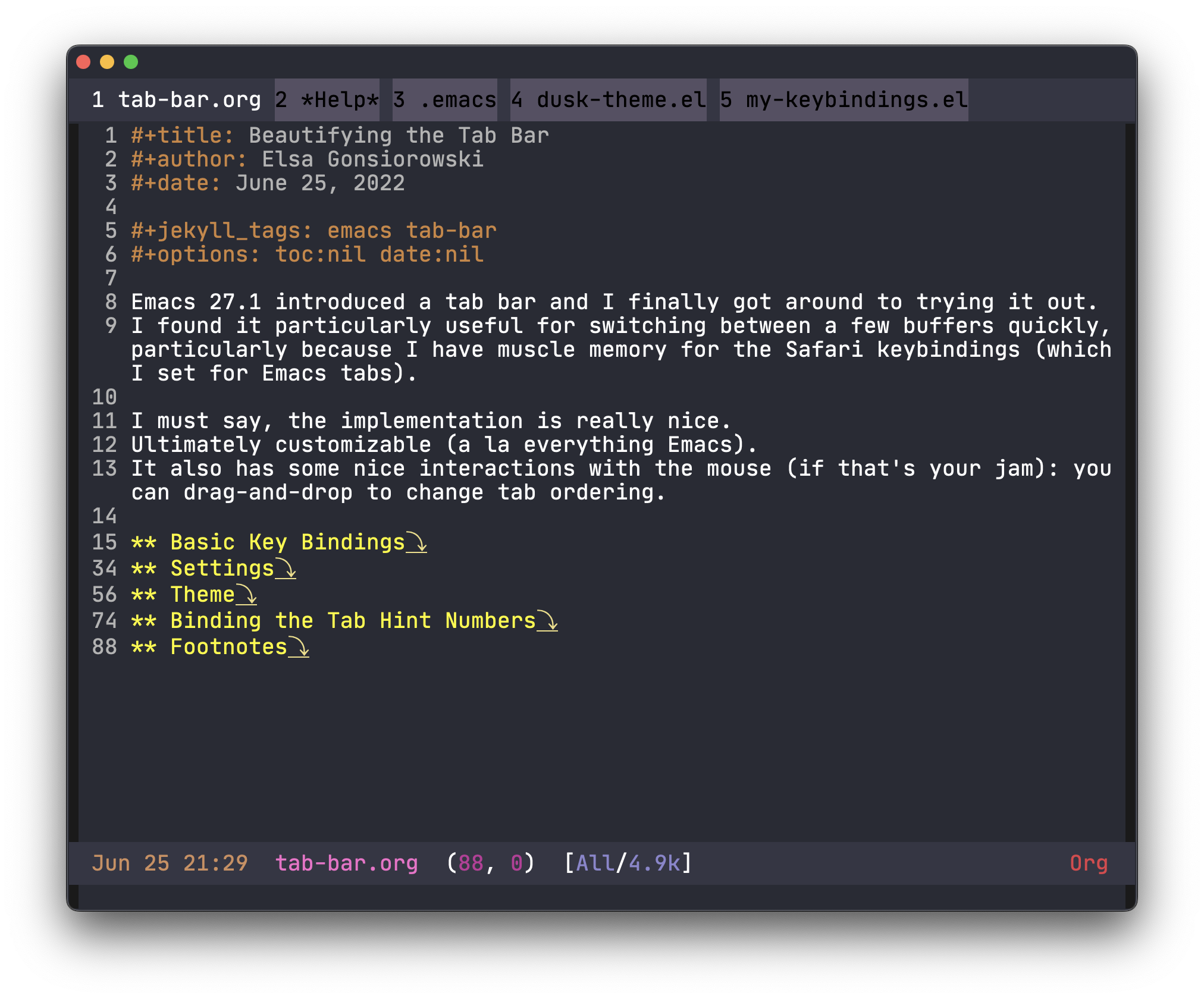
</ul>]]></content><author><name>Elsa Gonsiorowski</name></author><category term="meta" /><summary type="html"><![CDATA[With the new year, I’ve been re-thinking my hobbies. I haven’t done a major re-assessment in a while, and it’s pretty obvious that my interest in regular blog updates has waned. On the one hand, I have a ton of half-done blog posts and half-started emacs side projects. I wish I just had a good way to share them, but posting half-finished drafts just seems… shoddy.]]></summary></entry><entry><title type="html">Beautifying the Tab Bar</title><link href="http://gonsie.com/blorg/tab-bar.html" rel="alternate" type="text/html" title="Beautifying the Tab Bar" /><published>2022-07-08T00:00:00+00:00</published><updated>2022-07-08T00:00:00+00:00</updated><id>http://gonsie.com/blorg/tab-bar</id><content type="html" xml:base="http://gonsie.com/blorg/tab-bar.html"><![CDATA[<p><img src="/images/tab-bar.png" alt="Screenshot of stylized tab bar" title="Tab Bar" /></p>

<p>Emacs 27.1 introduced a tab bar and I finally got around to trying it out.
I found it particularly useful for switching between a few buffers quickly, particularly because I have muscle memory for the Safari tab keybindings (which I set for Emacs tabs).</p>

<p>I must say, the implementation is really nice.
Ultimately customizable (a la everything Emacs).
It also has some nice interactions with the mouse (if that’s your jam).
You can use drag-and-drop to change tab ordering!</p>

<h2 id="basic-key-bindings">Basic Key Bindings</h2>

<p>This was the first thing I setup, especially since I knew exactly what I wanted.
These mirror Safari’s tab keybindings.</p>

<figure class="highlight"><pre><code class="language-elisp" data-lang="elisp"><span class="p">(</span><span class="nv">global-set-key</span> <span class="p">(</span><span class="nv">kbd</span> <span class="s">"s-{"</span><span class="p">)</span> <span class="ss">'tab-bar-switch-to-prev-tab</span><span class="p">)</span>
<span class="p">(</span><span class="nv">global-set-key</span> <span class="p">(</span><span class="nv">kbd</span> <span class="s">"s-}"</span><span class="p">)</span> <span class="ss">'tab-bar-switch-to-next-tab</span><span class="p">)</span>
<span class="p">(</span><span class="nv">global-set-key</span> <span class="p">(</span><span class="nv">kbd</span> <span class="s">"s-t"</span><span class="p">)</span> <span class="ss">'tab-bar-new-tab</span><span class="p">)</span>
<span class="p">(</span><span class="nv">global-set-key</span> <span class="p">(</span><span class="nv">kbd</span> <span class="s">"s-w"</span><span class="p">)</span> <span class="ss">'tab-bar-close-tab</span><span class="p">)</span></code></pre></figure>

<p>The <code class="language-plaintext highlighter-rouge">s-</code> prefix key is the “command ⌘” key on a Mac.</p>

<p>I think <code class="language-plaintext highlighter-rouge">s-w</code> is set to <code class="language-plaintext highlighter-rouge">kill-emacs</code> or <code class="language-plaintext highlighter-rouge">delete-frame</code> something similar by default.
I personally never want that to happen so I’ve had those functions and keybinding disabled for years now.
I also had <code class="language-plaintext highlighter-rouge">s-{</code> and <code class="language-plaintext highlighter-rouge">s-}</code> bound to switch between frames (<code class="language-plaintext highlighter-rouge">other-frame</code>), but I usually use the Emacs GUI in full screen mode, so using these for tabs makes more sense.
At least for right now.</p>

<h2 id="settings">Settings</h2>

<p>Of course, the tab bar comes with a bunch of customizable settings.
I’m using:</p>

<figure class="highlight"><pre><code class="language-elisp" data-lang="elisp"><span class="p">(</span><span class="nb">when</span> <span class="p">(</span><span class="nb">&lt;</span> <span class="mi">26</span> <span class="nv">emacs-major-version</span><span class="p">)</span>
 <span class="p">(</span><span class="nv">tab-bar-mode</span> <span class="mi">1</span><span class="p">)</span>                           <span class="c1">;; enable tab bar</span>
 <span class="p">(</span><span class="k">setq</span> <span class="nv">tab-bar-show</span> <span class="mi">1</span><span class="p">)</span>                      <span class="c1">;; hide bar if &lt;= 1 tabs open</span>
 <span class="p">(</span><span class="k">setq</span> <span class="nv">tab-bar-close-button-show</span> <span class="no">nil</span><span class="p">)</span>       <span class="c1">;; hide tab close / X button</span>
 <span class="p">(</span><span class="k">setq</span> <span class="nv">tab-bar-new-tab-choice</span> <span class="s">"*dashboard*"</span><span class="p">)</span><span class="c1">;; buffer to show in new tabs</span>
 <span class="p">(</span><span class="k">setq</span> <span class="nv">tab-bar-tab-hints</span> <span class="no">t</span><span class="p">)</span>                 <span class="c1">;; show tab numbers</span>
  <span class="p">(</span><span class="k">setq</span> <span class="nv">tab-bar-format</span> <span class="o">'</span><span class="p">(</span><span class="nv">tab-bar-format-tabs</span> <span class="nv">tab-bar-separator</span><span class="p">)))</span>
                                            <span class="c1">;; elements to include in bar</span></code></pre></figure>

<p>The <code class="language-plaintext highlighter-rouge">when</code> clause wrapping these settings ensures my configuration is maximally compatible with <a href="./emacs-v22.html">all modern Emacs versions</a>.
I figured out these settings through a combination of looking at the <code class="language-plaintext highlighter-rouge">*Customize*</code> menu for Tab Bar and reading the help documentation for each variable.</p>

<p>One setting I really like (but am not using right now), is the ability to have a “Menu” button in the tab bar.
This is achieved by adding <code class="language-plaintext highlighter-rouge">tab-bar-format-menu-bar</code> at the beginning of the <code class="language-plaintext highlighter-rouge">tab-bar-format</code> value list.</p>

<h2 id="theme">Theme</h2>

<p>I worked really hard on my <a href="./modeline.html">modeline</a> and I can reuse all that styling!
This is the snippet from my personal dusk theme<sup><a id="fnr.1" class="footref" href="#fn.1" role="doc-backlink">1</a></sup>:</p>

<figure class="highlight"><pre><code class="language-elisp" data-lang="elisp"><span class="c1">;; modeline settings</span>
<span class="o">'</span><span class="p">(</span><span class="nv">mode-line</span> <span class="p">((</span><span class="no">t</span> <span class="p">(</span><span class="ss">:underline</span> <span class="no">nil</span> <span class="ss">:overline</span> <span class="no">nil</span> <span class="ss">:box</span> <span class="p">(</span><span class="ss">:line-width</span> <span class="mi">8</span> <span class="ss">:color</span> <span class="s">"#353644"</span> <span class="ss">:style</span> <span class="no">nil</span><span class="p">)</span> <span class="ss">:foreground</span> <span class="s">"white"</span> <span class="ss">:background</span> <span class="s">"#353644"</span><span class="p">))))</span>
<span class="o">'</span><span class="p">(</span><span class="nv">mode-line-buffer-id</span> <span class="p">((</span><span class="no">t</span> <span class="p">(</span><span class="ss">:weight</span> <span class="nv">bold</span><span class="p">))))</span>
<span class="o">'</span><span class="p">(</span><span class="nv">mode-line-emphasis</span> <span class="p">((</span><span class="no">t</span> <span class="p">(</span><span class="ss">:weight</span> <span class="nv">bold</span><span class="p">))))</span>
<span class="o">'</span><span class="p">(</span><span class="nv">mode-line-highlight</span> <span class="p">((((</span><span class="nc">class</span> <span class="nv">color</span><span class="p">)</span> <span class="p">(</span><span class="nv">min-colors</span> <span class="mi">88</span><span class="p">))</span> <span class="p">(</span><span class="ss">:box</span> <span class="p">(</span><span class="ss">:line-width</span> <span class="mi">2</span> <span class="ss">:color</span> <span class="s">"grey40"</span> <span class="ss">:style</span> <span class="nv">released-button</span><span class="p">)))</span> <span class="p">(</span><span class="no">t</span> <span class="p">(</span><span class="ss">:inherit</span> <span class="p">(</span><span class="nv">highlight</span><span class="p">)))))</span>
<span class="o">'</span><span class="p">(</span><span class="nv">mode-line-inactive</span> <span class="p">((</span><span class="no">t</span> <span class="p">(</span><span class="ss">:weight</span> <span class="nv">light</span> <span class="ss">:underline</span> <span class="no">nil</span> <span class="ss">:overline</span> <span class="no">nil</span> <span class="ss">:box</span> <span class="p">(</span><span class="ss">:line-width</span> <span class="mi">8</span> <span class="ss">:color</span> <span class="s">"#565063"</span> <span class="ss">:style</span> <span class="no">nil</span><span class="p">)</span> <span class="ss">:foreground</span> <span class="s">"white"</span> <span class="ss">:background</span> <span class="s">"#565063"</span> <span class="ss">:inherit</span> <span class="p">(</span><span class="nv">mode-line</span><span class="p">)))))</span>
<span class="c1">;; tab bar settings</span>
<span class="o">'</span><span class="p">(</span><span class="nv">tab-bar</span> <span class="p">((</span><span class="no">t</span> <span class="p">(</span><span class="ss">:inherit</span> <span class="nv">mode-line</span><span class="p">))))</span>
<span class="o">'</span><span class="p">(</span><span class="nv">tab-bar-tab</span> <span class="p">((</span><span class="no">t</span> <span class="p">(</span><span class="ss">:inherit</span> <span class="nv">mode-line</span> <span class="ss">:foreground</span> <span class="s">"white"</span><span class="p">))))</span>
<span class="o">'</span><span class="p">(</span><span class="nv">tab-bar-tab-inactive</span> <span class="p">((</span><span class="no">t</span> <span class="p">(</span><span class="ss">:inherit</span> <span class="nv">mode-line-inactive</span> <span class="ss">:foreground</span> <span class="s">"black"</span><span class="p">))))</span></code></pre></figure>

<h2 id="binding-the-tab-hint-numbers">Binding the Tab Hint Numbers</h2>

<p>I have a pretty wonky keybinding setup, where I create my own minor mode key map and use that by default (as recommended by this <a href="https://emacs.stackexchange.com/questions/352/how-to-override-major-mode-bindings/360#360">stackexchange post</a>).
Here I use <code class="language-plaintext highlighter-rouge">(setq mac-command-modifier 'super)</code>.</p>

<p>The tab bar documentation indicates that to enable pressing <code class="language-plaintext highlighter-rouge">⌘-1</code> (or <code class="language-plaintext highlighter-rouge">s-1</code> as Emacs sees it) to switch to tab number 1 I would need:</p>

<figure class="highlight"><pre><code class="language-elisp" data-lang="elisp"><span class="p">(</span><span class="k">setq</span> <span class="nv">tab-bar-select-tab-modifiers</span> <span class="s">"super"</span><span class="p">)</span></code></pre></figure>

<p>But this didn’t work for me.
Instead, I bound each super-number combination (<code class="language-plaintext highlighter-rouge">s-1</code> through <code class="language-plaintext highlighter-rouge">s-0</code>) to <code class="language-plaintext highlighter-rouge">tab-bar-select-tab</code> and it works!</p>

<h2 id="final-comments">Final Comments</h2>

<p>As I mentioned above, the tab bar implementation is really nice.
This reflects the high standards that the Emacs community and developers have, especially for anything that becomes built in.
I was able to do all of this implementation and blogging while flying back from a semi-vacation in Greece (where I spent a lot of time improving my blog, if you didn’t notice).
An editor with completely built-in documentation and an interface for configuring / customizing is really, really pleasant.
Not needing the internet to do something productive feels increasingly rare.</p>

<h2 id="footnotes">Footnotes</h2>

<p><sup><a id="fn.1" href="#fnr.1">1</a></sup> Back when I wrote about <a href="./cl-deprecated.html">package cl being deprecated</a>, I noted that the way I define my theme was outdated.
I finally got around to modernizing it, but never wrote about the process.
I’m not sure a blog post would be useful, since I’m guessing most readers use existing theme packages.
I did start with the <code class="language-plaintext highlighter-rouge">customize-create-theme</code> function, which made the process of porting my old color-theme definition to the modern customize format trivial.</p>

<p>You can view my theme in my <a href="https://github.com/gonsie/dotfiles/blob/master/emacs/dusk-theme.el">dotfiles GitHub repo</a>.</p>]]></content><author><name>Elsa Gonsiorowski</name></author><category term="emacs" /><summary type="html"><![CDATA[]]></summary></entry><entry><title type="html">Generating Multiple Jekyll RSS Feeds</title><link href="http://gonsie.com/blorg/tag-rss.html" rel="alternate" type="text/html" title="Generating Multiple Jekyll RSS Feeds" /><published>2022-06-23T00:00:00+00:00</published><updated>2022-06-23T00:00:00+00:00</updated><id>http://gonsie.com/blorg/tag-rss</id><content type="html" xml:base="http://gonsie.com/blorg/tag-rss.html"><![CDATA[<p>Whelp, my <a href="http://www.gonsie.com/blorg/rss-by-email.html">“resolution”</a> to post to this blog every 90 days or so has failed.
It lasted about a year, but a few <del>weeks</del> months ago I got an email notification that my RSSby.email subscription was automatically unsubscribed due to inactivity.
I guess one good thing is now I know that I’ll get an unsubscribe notice…
but sorry to all my RSSby.email followers who now have to go through the hassle to resubscribe.</p>

<p>One of the things that has kept me from posting is that my blog is being indexed by <a href="https://planet.emacslife.com">Planet Emacs</a>.
I only found out from a comment that someone left, but apparently it’s been in there since March 2020.
Now I feel bad for all those non-emacs posts!
My solution is create an emacs-only RSS feed for my site.</p>

<p><em>Note: If you are using GitHub pages to deploy your site, skip to <a href="#orgdcd823c">Step 4: Slightly Less Generation</a>.</em></p>

<p><a id="orga619f1a"></a></p>

<h2 id="step-1-create-the-file-generator">Step 1: Create the File Generator</h2>

<p>Jekyll has the capability to <a href="https://jekyllrb.com/docs/plugins/generators/">generate</a> whole pages.
That is, no <code class="language-plaintext highlighter-rouge">.md</code> file exists in the source tree, but a <code class="language-plaintext highlighter-rouge">.html</code> file is generated and appears on the site.
This requires writing a bit of ruby code (a Jekyll plugin), but a very easy to use template is included in the documentation (linked above).</p>

<figure class="highlight"><pre><code class="language-ruby" data-lang="ruby"><span class="k">module</span> <span class="nn">GenerateTagRSS</span>
  <span class="k">class</span> <span class="nc">TagRSSGenerator</span> <span class="o">&lt;</span> <span class="no">Jekyll</span><span class="o">::</span><span class="no">Generator</span>
    <span class="n">safe</span> <span class="kp">true</span>

    <span class="c1"># loop to generate each feed file</span>
    <span class="k">def</span> <span class="nf">generate</span><span class="p">(</span><span class="n">site</span><span class="p">)</span>
      <span class="n">site</span><span class="p">.</span><span class="nf">tags</span><span class="p">.</span><span class="nf">each</span> <span class="k">do</span> <span class="o">|</span><span class="n">tag</span><span class="p">,</span> <span class="n">posts</span><span class="o">|</span>
        <span class="no">Jekyll</span><span class="p">.</span><span class="nf">logger</span><span class="p">.</span><span class="nf">info</span> <span class="s2">"</span><span class="se">\t</span><span class="s2">Generating feed for tag: </span><span class="si">#{</span><span class="n">tag</span><span class="si">}</span><span class="s2">"</span>
        <span class="c1"># call to TagRSSPage instantiation function</span>
        <span class="n">site</span><span class="p">.</span><span class="nf">pages</span> <span class="o">&lt;&lt;</span> <span class="no">TagRSSPage</span><span class="p">.</span><span class="nf">new</span><span class="p">(</span><span class="n">site</span><span class="p">,</span> <span class="n">tag</span><span class="p">,</span> <span class="n">posts</span><span class="p">)</span>
      <span class="k">end</span>
    <span class="k">end</span>
  <span class="k">end</span>

  <span class="c1"># Subclass of `Jekyll::Page` with custom method definitions.</span>
  <span class="c1"># TagRSSPage instantiation</span>
  <span class="c1"># Definition of what an RSS file looks like</span>
  <span class="k">class</span> <span class="nc">TagRSSPage</span> <span class="o">&lt;</span> <span class="no">Jekyll</span><span class="o">::</span><span class="no">Page</span>
    <span class="k">def</span> <span class="nf">initialize</span><span class="p">(</span><span class="n">site</span><span class="p">,</span> <span class="n">tag</span><span class="p">,</span> <span class="n">posts</span><span class="p">)</span>
      <span class="vi">@site</span> <span class="o">=</span> <span class="n">site</span>             <span class="c1"># the current site instance.</span>
      <span class="vi">@base</span> <span class="o">=</span> <span class="n">site</span><span class="p">.</span><span class="nf">source</span>      <span class="c1"># path to the source directory.</span>
      <span class="vi">@dir</span>  <span class="o">=</span> <span class="s1">'blorg/feeds'</span>    <span class="c1"># the directory the page will reside in.</span>

      <span class="vi">@basename</span> <span class="o">=</span> <span class="n">tag</span>          <span class="c1"># filename without the extension.</span>
      <span class="vi">@ext</span>      <span class="o">=</span> <span class="s1">'.xml'</span>       <span class="c1"># the extension.</span>
      <span class="vi">@name</span>     <span class="o">=</span> <span class="n">tag</span> <span class="o">+</span> <span class="s1">'.xml'</span> <span class="c1"># basically @basename + @ext.</span>


      <span class="c1"># Initialize data hash with a key pointing to all posts under current category.</span>
      <span class="c1"># This allows accessing the list in a template via `page.linked_docs`.</span>
      <span class="vi">@data</span> <span class="o">=</span> <span class="p">{</span>
        <span class="s1">'linked_docs'</span> <span class="o">=&gt;</span> <span class="n">posts</span>
      <span class="p">}</span>

      <span class="c1"># Look up front matter defaults scoped to type `tags`, if given key</span>
      <span class="c1"># doesn't exist in the `data` hash.</span>
      <span class="n">data</span><span class="p">.</span><span class="nf">default_proc</span> <span class="o">=</span> <span class="nb">proc</span> <span class="k">do</span> <span class="o">|</span><span class="n">_</span><span class="p">,</span> <span class="n">key</span><span class="o">|</span>
        <span class="n">site</span><span class="p">.</span><span class="nf">frontmatter_defaults</span><span class="p">.</span><span class="nf">find</span><span class="p">(</span><span class="n">relative_path</span><span class="p">,</span> <span class="ss">:tag</span><span class="p">,</span> <span class="n">key</span><span class="p">)</span>
      <span class="k">end</span>
    <span class="k">end</span>

    <span class="c1"># Placeholders that are used in constructing page URL.</span>
    <span class="k">def</span> <span class="nf">url_placeholders</span>
      <span class="p">{</span>
        <span class="ss">:path</span>       <span class="o">=&gt;</span> <span class="vi">@dir</span><span class="p">,</span>
        <span class="ss">:basename</span>   <span class="o">=&gt;</span> <span class="n">basename</span><span class="p">,</span>
        <span class="ss">:output_ext</span> <span class="o">=&gt;</span> <span class="n">output_ext</span><span class="p">,</span>
      <span class="p">}</span>
    <span class="k">end</span>
  <span class="k">end</span>
<span class="k">end</span></code></pre></figure>

<div class="org-center">
<p>
File <code>GenerateRSSTags.rb</code>
</p>
</div>

<p>Now I don’t understand that code entirely, but I have verified that it does work.</p>

<h2 id="step-2-template-for-the-generated-files">Step 2: Template for the Generated Files</h2>

<p>The R community has a similar “R topics” RSS aggregator, with an explicit requirement that included feeds are limited to on-topic posts.
<a href="https://methodmatters.github.io/rss-add-github-blog-to-r-bloggers/">This post</a> guides you through doing that by hand, for a single Jekyll tag.
It provides a basic template for an RSS XML file, (only slightly adapted below).</p>

<figure class="highlight"><pre><code class="language-html" data-lang="html">  <span class="cp">&lt;?xml version="1.0" encoding="UTF-8"?&gt;</span>
  <span class="nt">&lt;rss</span> <span class="na">version=</span><span class="s">"2.0"</span> <span class="na">xmlns:atom=</span><span class="s">"http://www.w3.org/2005/Atom"</span><span class="nt">&gt;</span>
      <span class="nt">&lt;channel&gt;</span>
          <span class="nt">&lt;title&gt;</span>{{ site.title | xml_escape }}<span class="nt">&lt;/title&gt;</span>
          <span class="nt">&lt;description&gt;</span>{{ site.description | xml_escape }}<span class="nt">&lt;/description&gt;</span>
          <span class="nt">&lt;link&gt;</span>{{ site.url }}{{ site.baseurl }}/<span class="nt">&lt;/link&gt;</span>
          <span class="nt">&lt;atom:link</span> <span class="na">href=</span><span class="s">"{{ page.url | prepend: site.baseurl | prepend: site.url }}"</span> <span class="na">rel=</span><span class="s">"self"</span> <span class="na">type=</span><span class="s">"application/rss+xml"</span><span class="nt">/&gt;</span>
          <span class="nt">&lt;pubDate&gt;</span>{{ site.time | date_to_rfc822 }}<span class="nt">&lt;/pubDate&gt;</span>
          <span class="nt">&lt;lastBuildDate&gt;</span>{{ site.time | date_to_rfc822 }}<span class="nt">&lt;/lastBuildDate&gt;</span>
          <span class="nt">&lt;generator&gt;</span>Jekyll v{{ jekyll.version }}<span class="nt">&lt;/generator&gt;</span>
          {% for post in page.linked_docs %}
              <span class="nt">&lt;item&gt;</span>
                  <span class="nt">&lt;title&gt;</span>{{ post.title | xml_escape }}<span class="nt">&lt;/title&gt;</span>
                  <span class="nt">&lt;author&gt;</span>{{ site.email | xml_escape }} ({{ site.author | xml_escape }})<span class="nt">&lt;/author&gt;</span>
                  <span class="nt">&lt;description&gt;</span>{{ post.content | xml_escape }}<span class="nt">&lt;/description&gt;</span>
                  <span class="nt">&lt;pubDate&gt;</span>{{ post.date | date_to_rfc822 }}<span class="nt">&lt;/pubDate&gt;</span>
                  <span class="nt">&lt;link&gt;</span>{{ post.url | prepend: site.baseurl | prepend: site.url }}<span class="nt">&lt;/link&gt;</span>
                  <span class="nt">&lt;guid</span> <span class="na">isPermaLink=</span><span class="s">"true"</span><span class="nt">&gt;</span>{{ post.url | prepend: site.baseurl | prepend: site.url }}<span class="nt">&lt;/guid&gt;</span>
                  {% for tag in post.tags %}
                  <span class="nt">&lt;category&gt;</span>{{ tag | xml_escape }}<span class="nt">&lt;/category&gt;</span>
                  {% endfor %}
                  {% for cat in post.categories %}
                  <span class="nt">&lt;category&gt;</span>{{ cat | xml_escape }}<span class="nt">&lt;/category&gt;</span>
                  {% endfor %}
              <span class="nt">&lt;/item&gt;</span>
          {% endfor %}
      <span class="nt">&lt;/channel&gt;</span>
  <span class="nt">&lt;/rss&gt;</span></code></pre></figure>

<div class="org-center">
<p>
File <code>_layouts/rss.html</code>
</p>
</div>

<p>Some notes on this snippet:</p>

<ul>
  <li>This layout file has the <code class="language-plaintext highlighter-rouge">.html</code> extension.
This is an assumption/requirement of Jekyll, our ruby generator code is what sets the output file extension to <code class="language-plaintext highlighter-rouge">.xml</code>.</li>
  <li>The posts which will be included are passed via the <code class="language-plaintext highlighter-rouge">page.linked_docs</code> variable.</li>
</ul>

<p>Of course it’s important to make sure Jekyll knows that the generated files should default to using this layout.
That is done in the <code class="language-plaintext highlighter-rouge">_config.yml</code> file.</p>

<figure class="highlight"><pre><code class="language-yaml" data-lang="yaml"><span class="na">defaults</span><span class="pi">:</span>
  <span class="pi">-</span> <span class="na">scope</span><span class="pi">:</span>
      <span class="na">type</span><span class="pi">:</span> <span class="s">tag</span>
    <span class="na">values</span><span class="pi">:</span>
      <span class="na">layout</span><span class="pi">:</span> <span class="s">rss</span></code></pre></figure>

<div class="org-center">
<p>
Snippet from _config.yml
</p>
</div>

<h2 id="step-3-getting-it-to-run">Step 3: Getting it to Run</h2>

<p>By default Jekyll will run any generators it finds in <code class="language-plaintext highlighter-rouge">_plugins</code> directory.
I included a nice log message in the generation loop, so that I have some indication that each tag is being generated.
Locally building my site is complete success!</p>

<p>The one <em>slight</em> issue is that GitHub pages won’t run <a href="https://docs.github.com/en/pages/setting-up-a-github-pages-site-with-jekyll/about-github-pages-and-jekyll#plugins">unsupported plugins</a>, aka the generator we just wrote.
So much of this post feels moot.
The whole reason I’m still using the Jekyll stack is that GitHub takes care of generating the site for me.</p>

<p><a id="orgdcd823c"></a></p>

<h2 id="step-4-slightly-less-generation">Step 4: Slightly Less Generation</h2>

<p>Since I couldn’t get GitHub pages to actually generate the files from whole cloth, I had to do a bit by hand.
This is relatively easy, given a list of tags which exist on my site, I simply create the following markdown file for each tag:</p>

<figure class="highlight"><pre><code class="language-md" data-lang="md"><span class="nn">---</span>
<span class="na">layout</span><span class="pi">:</span> <span class="s">rss</span>
<span class="na">permalink</span><span class="pi">:</span> <span class="s">/blorg/feeds/emacs.xml</span>
<span class="na">tagname</span><span class="pi">:</span> <span class="s">emacs</span>
<span class="nn">---</span></code></pre></figure>

<div class="org-center">
<p>
Jekyll frontmatter for tag feed file
</p>
</div>

<p>Then, in the RSS layout (from <a href="#orga619f1a">Step 1</a>), instead of looping over the <code class="language-plaintext highlighter-rouge">page.linked_docs</code> variable, I use:</p>

<figure class="highlight"><pre><code class="language-html" data-lang="html">{% for post in site.posts %}
{% if post.tags contains page.tagname %}</code></pre></figure>

<div class="org-center">
<p>
Updated liquid loop for <code>_layouts/rss.html</code> file.
</p>
</div>

<p>(Don’t forget to close your if statement with an <code class="language-plaintext highlighter-rouge">{% endif %}</code> just before the end of the loop).
This solution requires the manual step of me remembering to create the tag markdown file when I use a new tag, but it works!</p>

<h2 id="step-5-profit">Step 5: Profit</h2>

<p>The final step is to share these RSS feeds with the world.
I’ve created a whole <a href="/blorg/feeds/">feeds page</a> which implements the following liquid to generate a nice list of topics with a link to each RSS feed (somewhat simplified here):</p>

<figure class="highlight"><pre><code class="language-liquid" data-lang="liquid"><span class="p">{%</span><span class="w"> </span><span class="nt">for</span><span class="w"> </span><span class="nv">tag</span><span class="w"> </span><span class="nt">in</span><span class="w"> </span><span class="nv">site.tags</span><span class="w"> </span><span class="p">%}</span>
  <span class="p">{%</span><span class="w"> </span><span class="nt">capture</span><span class="w"> </span><span class="nv">tagname</span><span class="w"> </span><span class="p">%}{{</span><span class="w"> </span><span class="nv">tag</span><span class="w"> </span><span class="p">|</span><span class="w"> </span><span class="nf">first</span><span class="w"> </span><span class="p">}}{%</span><span class="w"> </span><span class="nt">endcapture</span><span class="w"> </span><span class="p">%}</span>
  &lt;a href="/blorg/feeds/<span class="p">{{</span><span class="w"> </span><span class="nv">tagname</span><span class="w"> </span><span class="p">}}</span>.xml"&gt;<span class="p">{{</span><span class="w"> </span><span class="nv">tagname</span><span class="w"> </span><span class="p">}}</span>&lt;/a&gt;
<span class="p">{%</span><span class="w"> </span><span class="nt">endfor</span><span class="w"> </span><span class="p">%}</span></code></pre></figure>

<div class="org-center">
<p>
Liquid snippet for generating a list of tags.
</p>
</div>

<p>Of course, you can find all this code in my site’s <a href="https://github.com/gonsie/gonsie.github.io">GitHub repository</a>.</p>]]></content><author><name>Elsa Gonsiorowski</name></author><category term="jekyll" /><category term="rss" /><summary type="html"><![CDATA[Whelp, my “resolution” to post to this blog every 90 days or so has failed. It lasted about a year, but a few weeks months ago I got an email notification that my RSSby.email subscription was automatically unsubscribed due to inactivity. I guess one good thing is now I know that I’ll get an unsubscribe notice… but sorry to all my RSSby.email followers who now have to go through the hassle to resubscribe.]]></summary></entry><entry><title type="html">Package cl is deprecated</title><link href="http://gonsie.com/blorg/cl-deprecated.html" rel="alternate" type="text/html" title="Package cl is deprecated" /><published>2021-12-22T00:00:00+00:00</published><updated>2021-12-22T00:00:00+00:00</updated><id>http://gonsie.com/blorg/cl-deprecated</id><content type="html" xml:base="http://gonsie.com/blorg/cl-deprecated.html"><![CDATA[<blockquote>
  <p>Package cl is deprecated</p>
</blockquote>

<p>I’ve been ignoring this startup message for maybe a year now (since the release of Emacs 27).
After recently updating all my packages (and completely breaking my emacs setup) I decided to go through all the startup messages and start fixing things.</p>

<h2 id="the-fix">The Fix</h2>

<p>Searching around the fix is straight forward.
Instead of requiring <code class="language-plaintext highlighter-rouge">cl</code> the correct name is now <code class="language-plaintext highlighter-rouge">cl-lib</code>.</p>

<figure class="highlight"><pre><code class="language-elisp" data-lang="elisp"><span class="p">(</span><span class="nb">require</span> <span class="ss">'cl-lib</span><span class="p">)</span></code></pre></figure>

<p>I knew of one place where I had used <code class="language-plaintext highlighter-rouge">cl</code> (I used the <code class="language-plaintext highlighter-rouge">return-from</code> function to do an early exit from a <code class="language-plaintext highlighter-rouge">while</code> loop), but after making the change, I was still getting the startup message.
Unfortunately that meant the startup message was coming from one of the many packages I had installed, how would I ever find it?</p>

<h2 id="finding-cl-requirements">Finding <code class="language-plaintext highlighter-rouge">cl</code> requirements</h2>

<p>Luckily, we have the <a href="https://emacs.stackexchange.com/questions/58489/how-do-i-debug-package-cl-is-deprecated">emacs stackexchange</a>, with this handy snippet:</p>

<figure class="highlight"><pre><code class="language-elisp" data-lang="elisp"><span class="p">(</span><span class="nb">require</span> <span class="ss">'loadhist</span><span class="p">)</span>
<span class="p">(</span><span class="nv">file-dependents</span> <span class="p">(</span><span class="nv">feature-file</span> <span class="ss">'cl</span><span class="p">))</span></code></pre></figure>

<p>Showing the one place with a <code class="language-plaintext highlighter-rouge">cl</code> requirement:</p>

<p><code class="language-plaintext highlighter-rouge">Users/gonsie/.config/emacs/elisp/color-theme-6.6.0/color-theme.el</code></p>

<p>Unfortunately this is in one of the packages I’ve been hand carrying around for over 10 years (longer than my dotfiles repo has existed).
It’s finally time to update the implementation of my preferred color theme, but that is a post for another day.</p>]]></content><author><name>Elsa Gonsiorowski</name></author><category term="emacs" /><category term="cl" /><category term="packages" /><summary type="html"><![CDATA[Package cl is deprecated]]></summary></entry><entry><title type="html">Jekyll Portfolio</title><link href="http://gonsie.com/blorg/jekyll-portfolio.html" rel="alternate" type="text/html" title="Jekyll Portfolio" /><published>2021-12-17T00:00:00+00:00</published><updated>2021-12-17T00:00:00+00:00</updated><id>http://gonsie.com/blorg/jekyll-portfolio</id><content type="html" xml:base="http://gonsie.com/blorg/jekyll-portfolio.html"><![CDATA[<p>So I recently learned that the future of Jekyll is, well, <a href="https://www.bridgetownrb.com/future/rip-jekyll/">grim</a>.
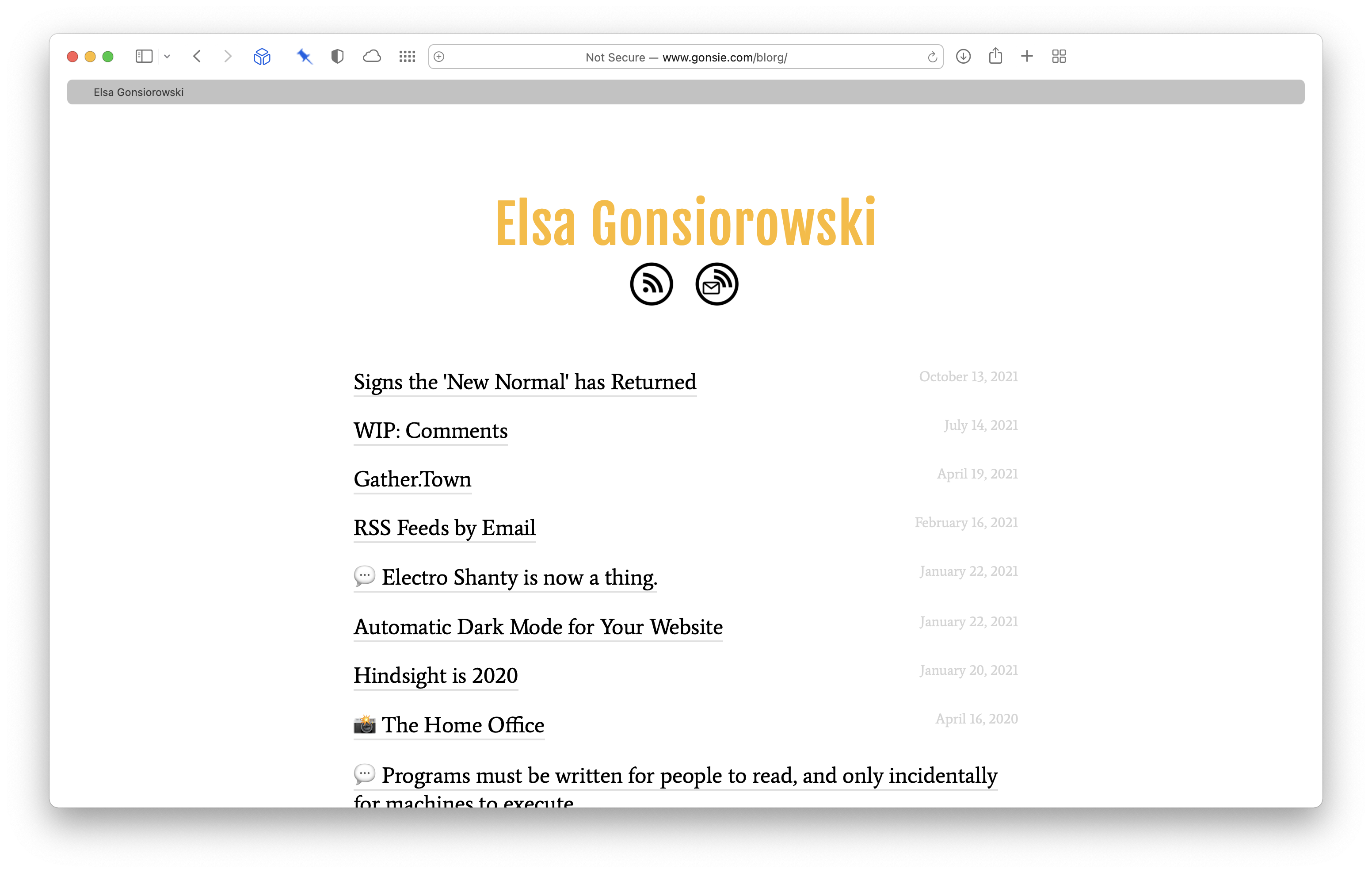
I have quite the history with jekyll, I’ve been creating websites with it since 2012 (most especially this one).
To mark the end of my jekyll era, I’ve collected a portfolio of all the sites I’ve developed and contributed to.</p>

<p>A few of them feature some clever liquid to make updating/expanding easy for others.
Here I’ve collected my portfolio of sites, all of which are still live, thanks to github and the power of static sites.
Looking over this collection, I mainly see a lot of acronyms…</p>

<h2 id="my-website">My Website</h2>

<ul>
  <li><a href="https://gonsie.com">gonsie.com</a></li>
  <li>Converted to Jekyll site in 2012 (still in use)</li>
  <li><a href="http://jekyllthemes.org/themes/accent/">Accent</a> theme by Ankit Sultana (blog)</li>
</ul>

<p><img src="/images/portfolio/portfolio-gonsie.png" alt="gonsie.com screenshot" /></p>

<p>The only real blog in my portfolio, this site has a bunch of sections and cruft left around from past projects.
Recently, I’ve created some post templates which allow me to easily post quotations and photos.</p>

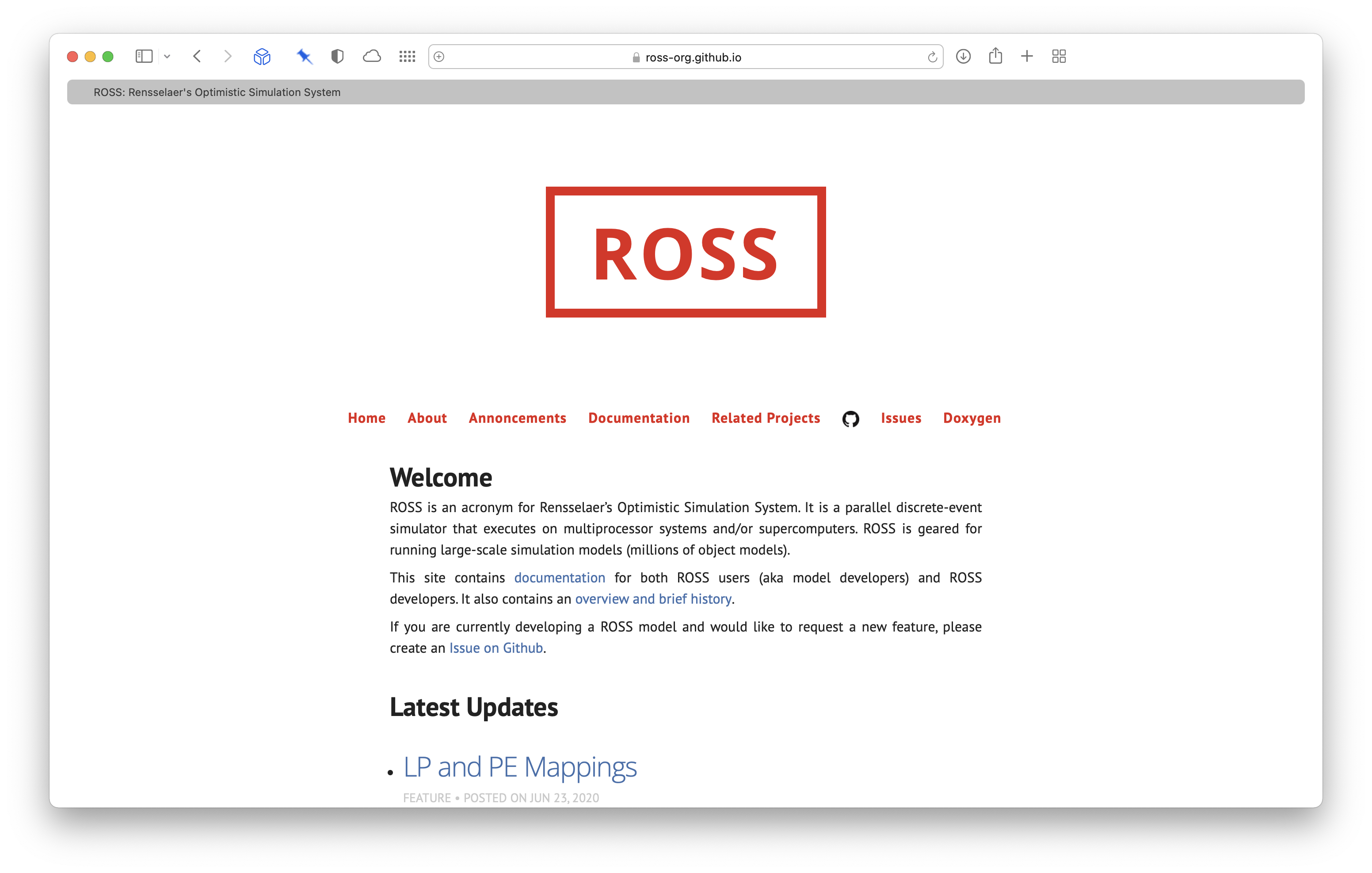
<h2 id="ross">ROSS</h2>

<ul>
  <li><a href="https://ross-org.github.io">ross.cs.rpi.edu</a></li>
  <li>Launched 2013 (still in use)</li>
  <li><a href="http://jekyllthemes.org/themes/polar-bear-theme/">Polar Bear Theme</a> by Camille Diez</li>
</ul>

<p><img src="/images/portfolio/portfolio-ross.png" alt="ROSS webpage screenshot" /></p>

<p>The ROSS (Rensselaer’s Optimistic Simulation System) website hosts much of the user documentation for the simulator I worked on during graduate school.
This is/was one of my more successful sites.
My idea to build up documentation for ROSS (which was severely lacking) was to require a ‘blog post’ to the website for nearly every pull request.
Each blog post contains a jekyll tag, which places that entry in the proper section of the overall documentation table of contents.</p>

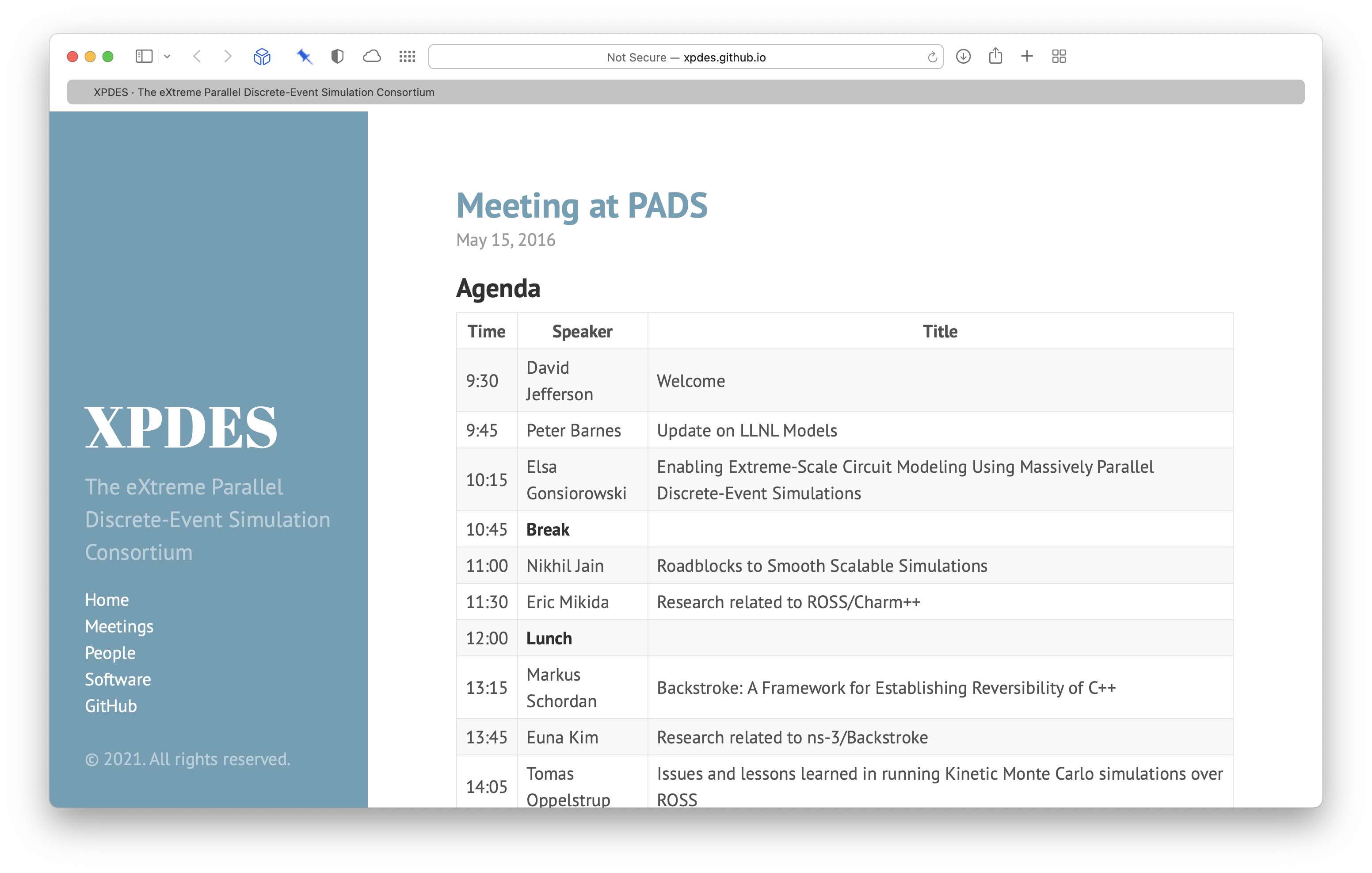
<h2 id="xpdes">XPDES</h2>

<ul>
  <li><a href="https://xpdes.github.io">xpdes.org</a></li>
  <li>2014</li>
  <li><a href="http://jekyllthemes.org/themes/hyde/">Hyde</a> theme by Mark Otto</li>
</ul>

<p><img src="/images/portfolio/portfolio-xpdes.png" alt="XPDES webpage screenshot" /></p>

<p>The Extreme Parallel Discrete-Event Simulation (PDES) was a consortium of PDES researchers from several institutions.
The site had some liquid to group ‘people’ pages by institution; the posts were for meeting agendas.
The consortium lasted until 2016.</p>

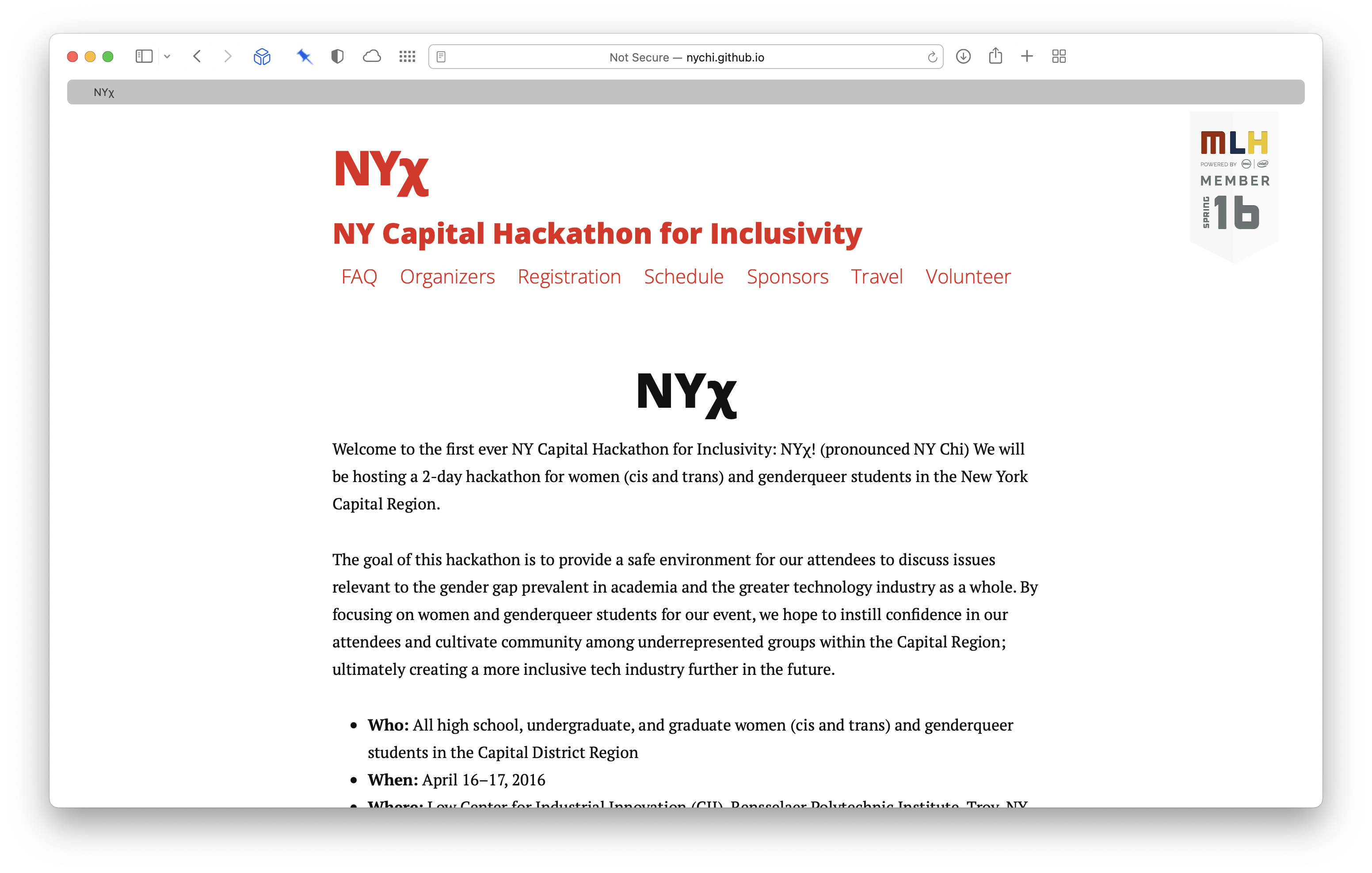
<h2 id="nyχ">NYχ</h2>

<ul>
  <li><a href="https://nychi.github.io">nychi.tech</a></li>
  <li>2016</li>
  <li><a href="http://jekyllthemes.org/themes/long-haul/">Long Haul</a> theme by Brian Maier Jr.</li>
</ul>

<p><img src="/images/portfolio/portfolio-nychi.png" alt="NYχ webpage screenshot" /></p>

<p>The New York Capitol Hackathon for Inclusivity was a hackathon I help organize in April 2016.
We needed a quick website.
This site includes some nice liquid for automatically generating the navigation menu from all pages that exist.</p>

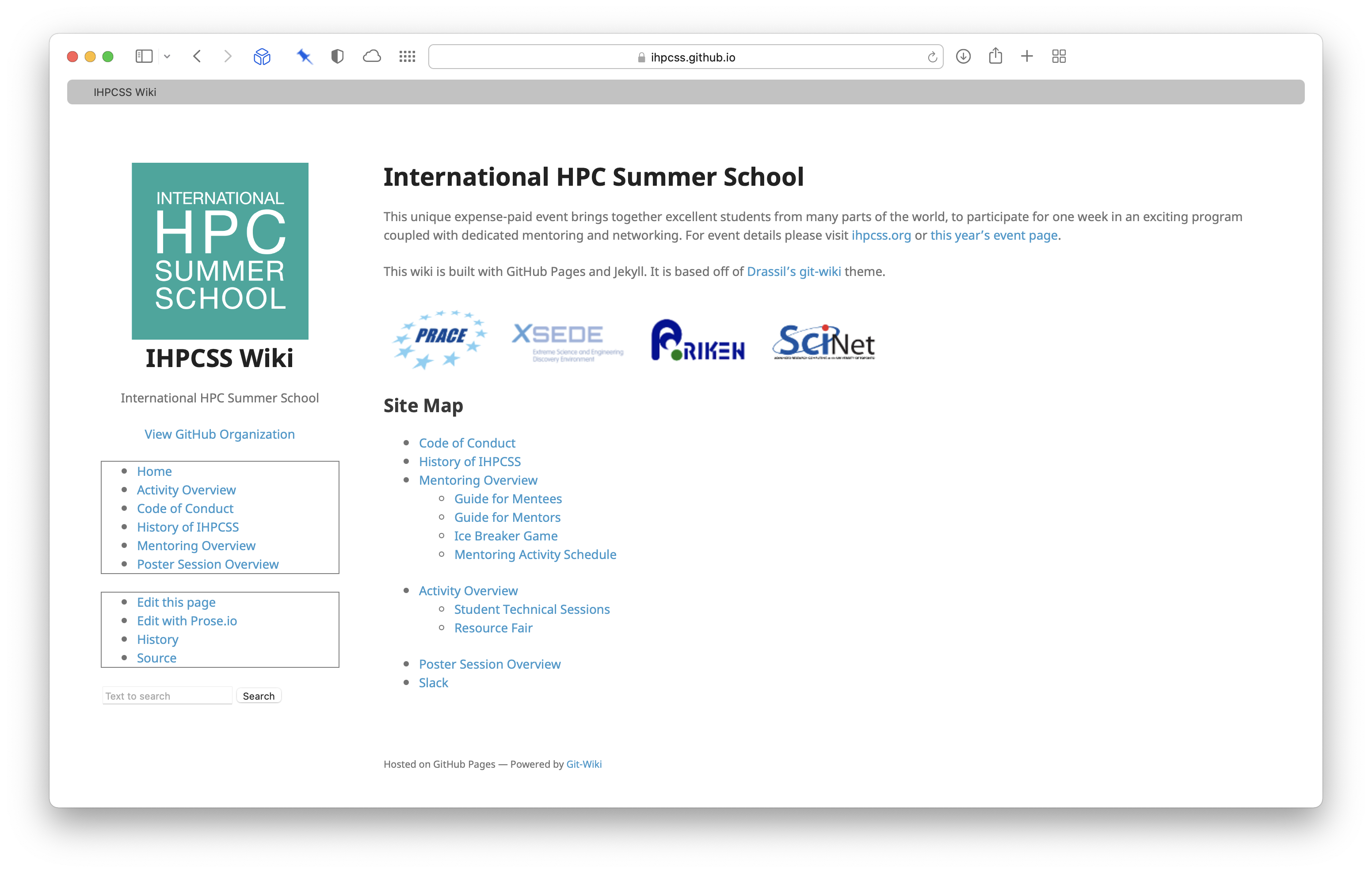
<h2 id="ihpcss">IHPCSS</h2>

<ul>
  <li><a href="https://ihpcss.github.io">ihpcss.github.io</a></li>
  <li>2018</li>
  <li><a href="http://jekyllthemes.org/themes/git-wiki-for-documentation/">Git-Wiki</a> theme (and functionality) by Yehonal</li>
</ul>

<p><img src="/images/portfolio/portfolio-ihpcss.png" alt="IHPCSS wiki screenshot" /></p>

<p>This wiki theme is very cool with tons of functionality.
I created this site because there was a lot of information that I wanted to organize for students at the International HPC Summer School.
I hoped the wiki feature would allow other to add content, but the site was voted down by the organizing committee and the content migrated to a different system.</p>

<h2 id="hust">HUST</h2>

<ul>
  <li><a href="https://hust-workshop.github.io">hust-workshop.github.io</a></li>
  <li>I joined in 2019 (still in use)</li>
  <li><a href="http://jekyllthemes.org/themes/singlepaged/">SinglePaged</a> Theme by Tim O’Brien</li>
</ul>

<p><img src="/images/portfolio/portfolio-hust.png" alt="HUST workshop webpage screenshot" /></p>

<p>The HUST site was initially developed by <a href="https://github.com/chrisbuwahpc">Chris Bording</a>, but I started co-organizing the workshop (and running the website) in 2019.
This single-paged site uses post files to hold the content for each section.
Any posts from the current year (as specified by the frontmatter in the index.md) are displayed.
This allows us to easily keep the content file from previous years, without them getting in the way.</p>

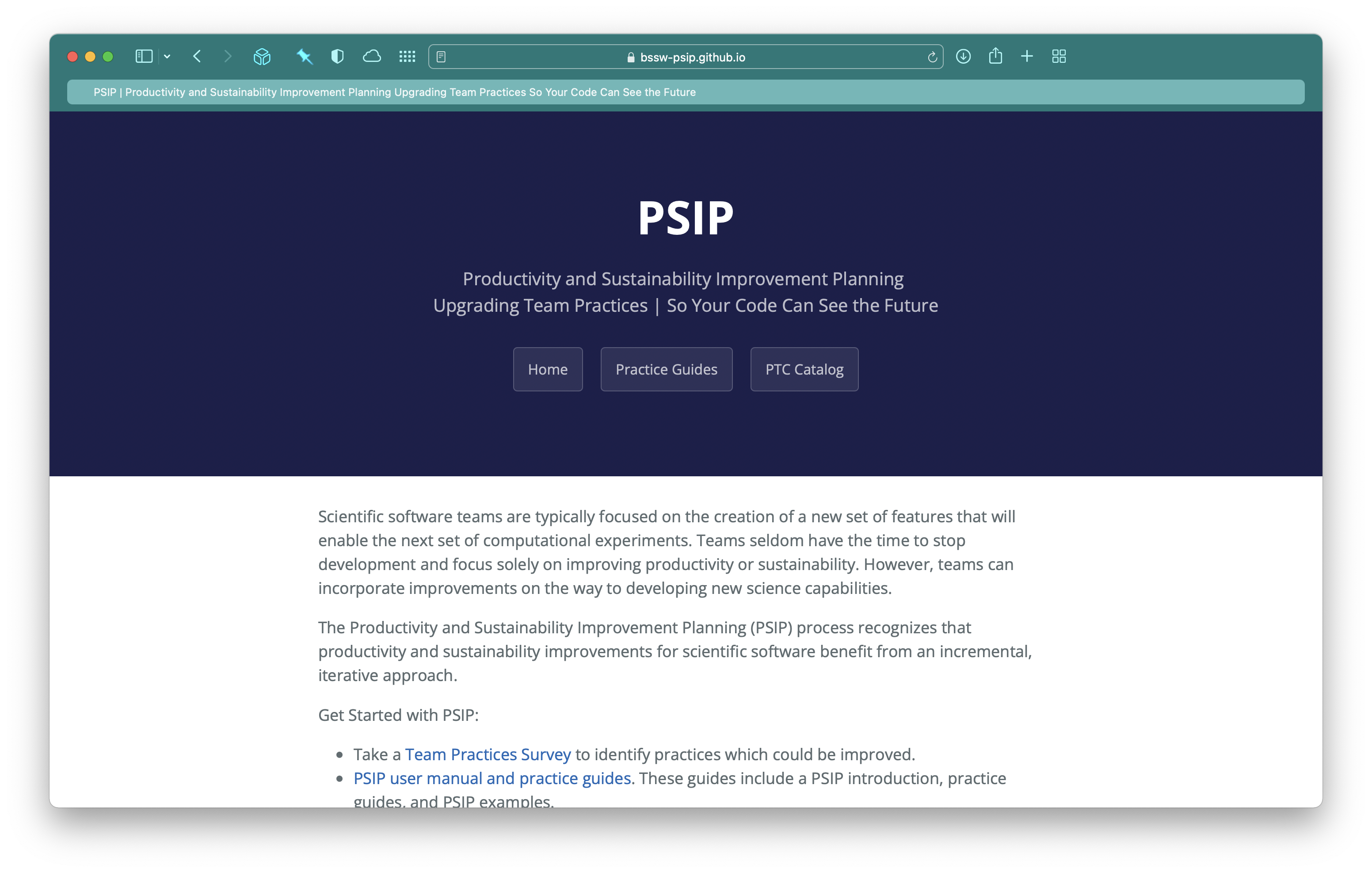
<h2 id="psip">PSIP</h2>

<ul>
  <li><a href="https://bssw-psip.github.io">bssw-psip.github.io</a></li>
  <li>2019</li>
  <li><a href="http://jekyllthemes.org/themes/cayman-theme/">Cayman Theme</a> by Pietro Menna</li>
</ul>

<p><img src="/images/portfolio/portfolio-psip.png" alt="PSIP webpage screenshot" /></p>

<p>This really simple site was for a bunch of markdown documentation whcih existed on GitHub for the Productivity and Sustainability Improvement Planning software improvement process.
The coolest thing was an interactive <a href="https://bssw-psip.github.io/ptc-catalog/survey.html">Rate Your Project Survey</a> which calculates a cumulative score for items checked off on the page (using javascript).</p>

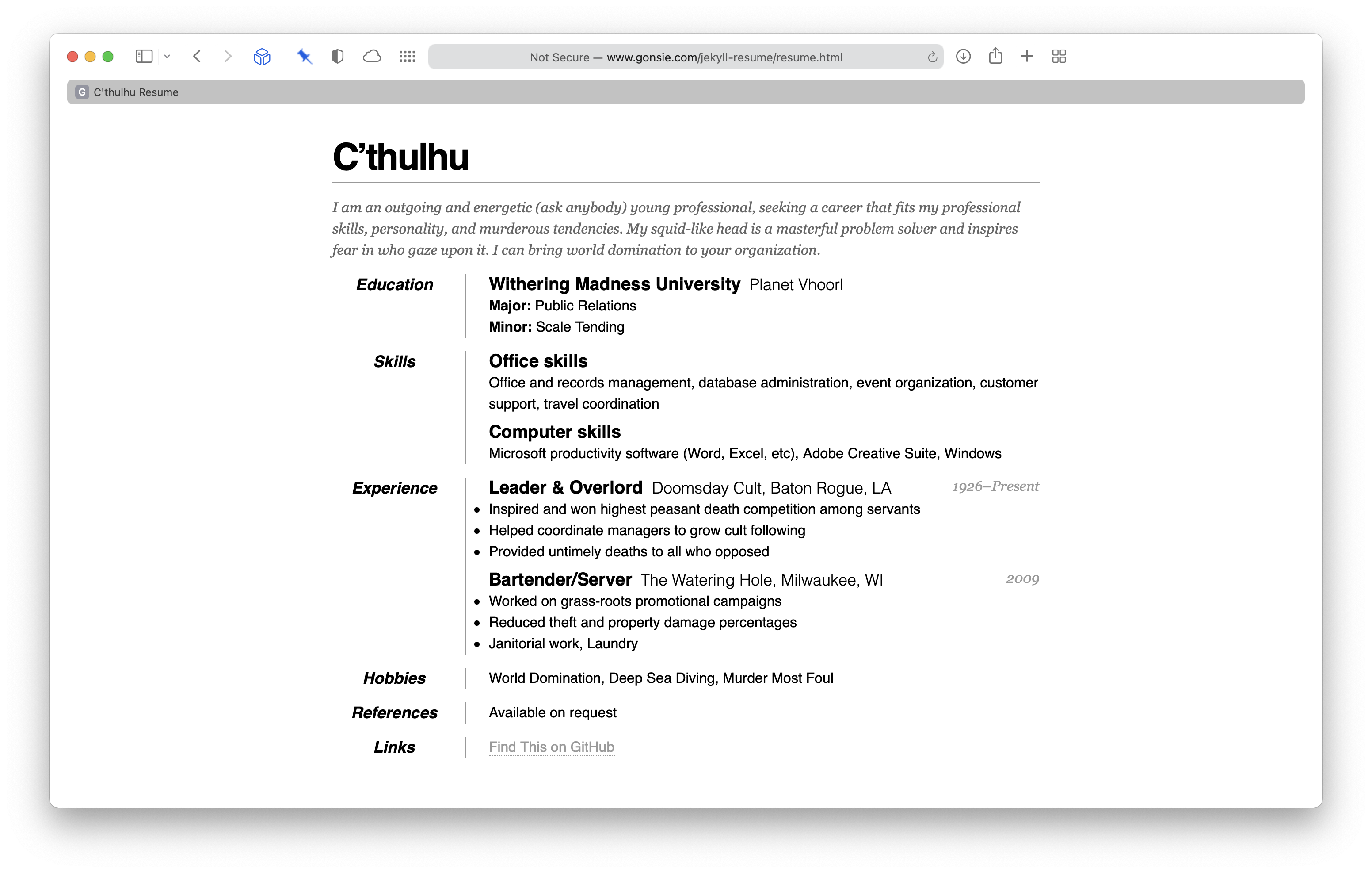
<h2 id="jekyll-resume">Jekyll Resume</h2>

<ul>
  <li><a href="https://www.gonsie.com/jekyll-resume/resume.html">gonsie.com/jekyll-resume/resume.html</a></li>
  <li>2019</li>
  <li>A jekyll implementation of the <a href="https://css-tricks.com/one-page-resume-site/">One Page Resume</a> by Chris Coyier</li>
</ul>

<p><img src="/images/portfolio/portfolio-resume.png" alt="C'thulu Resume screenshot" /></p>

<p>I’ve used Chris Coyier’s one page resume since 2012 (slightly before I started using jekyll).
In 2019 I created a template jekyll repository which I use to teach students about markdown and static websites.
The template renders a resume written in markdown to a nice one page resume website.
This site is really a demonstration of my markdown and css skills (rather than jekyll or liquid).</p>]]></content><author><name>Elsa Gonsiorowski</name></author><category term="jekyll" /><summary type="html"><![CDATA[So I recently learned that the future of Jekyll is, well, grim. I have quite the history with jekyll, I’ve been creating websites with it since 2012 (most especially this one). To mark the end of my jekyll era, I’ve collected a portfolio of all the sites I’ve developed and contributed to.]]></summary></entry><entry><title type="html">Signs the ‘New Normal’ has Returned</title><link href="http://gonsie.com/blorg/restarting-hobbies.html" rel="alternate" type="text/html" title="Signs the ‘New Normal’ has Returned" /><published>2021-10-13T00:00:00+00:00</published><updated>2021-10-13T00:00:00+00:00</updated><id>http://gonsie.com/blorg/restarting-hobbies</id><content type="html" xml:base="http://gonsie.com/blorg/restarting-hobbies.html"><![CDATA[<p>At work we have an effort called the ‘return to new normal’ which is an admission that while we are returning to something that looks like pre-pandemic life, everything has changed and what is normal now is entitely different from before.</p>

<p>I (many others I know) are “exiting” the pandemic with new babies. If a global catatrophy doesn’t change your whole life, a baby certainly will. Some things become more important (like having a job that supports your new reality) and some things less so (like whatever you thought your 5-year career plan should be).</p>

<p>As my baby exits her first year, I am finding myself returning to a new normal. My hobbies, reading and knitting, have restarted after a long lockdown and pregnancy pause. In an effort to <a href="https://irreal.org/blog/?p=5397">avoid storing my data in someone else’s system</a>, I’ll be adding some reading logs and knitting project posts here.</p>]]></content><author><name>Elsa Gonsiorowski</name></author><summary type="html"><![CDATA[At work we have an effort called the ‘return to new normal’ which is an admission that while we are returning to something that looks like pre-pandemic life, everything has changed and what is normal now is entitely different from before.]]></summary></entry><entry><title type="html">WIP: Comments</title><link href="http://gonsie.com/blorg/wip-comments.html" rel="alternate" type="text/html" title="WIP: Comments" /><published>2021-07-14T00:00:00+00:00</published><updated>2021-07-14T00:00:00+00:00</updated><id>http://gonsie.com/blorg/wip-comments</id><content type="html" xml:base="http://gonsie.com/blorg/wip-comments.html"><![CDATA[<p><em>WIP stands for work in progress.</em></p>

<p>If you’ve visited my site in the last month or so, you may have noticed a (poorly-stylized) comment box at the bottom of each of my blog posts.
I’m working on setting a static-site friendly comment system. The goal is having all the comment data live within the blog repository (i.e., not using a third-party hosted service such as Disqus).</p>

<p>The general idea for the system is:</p>
<ol>
  <li>Readers fill out a comment form that is processed through a third-party, which essentially forwards the text to my email.
<em>Status:</em> complete, using <a href="https://formsubmit.co">formsubmit.co</a>.</li>
  <li>I receive the comments in my email and add those comments to my blog repo.
<em>Status:</em> workflow not finalized.</li>
  <li>Comments appear on the relevant post.
<em>Status:</em> not started, requires html/css design plus Jekyll infrastructure/Liquid to make the right ones appear.</li>
</ol>

<p>Right now, I am able to accept comments.
I’ve even received a few useful ones (some helpful folks pointed out that my site was broken in dark mode on some browsers).
I am thinking about letting commenters include their GitHub username, that way comments could appear as commits to my blog repository and folks could have their identity linked… but I haven’t worked out all the detail yet.</p>

<p>Anyways, feel free to leave comments, I do get them and read them all! The comments just won’t appear on the site itself, yet.</p>]]></content><author><name>Elsa Gonsiorowski</name></author><category term="social," /><category term="blog," /><category term="wip" /><summary type="html"><![CDATA[WIP stands for work in progress.]]></summary></entry><entry><title type="html">Gather.Town</title><link href="http://gonsie.com/blorg/gather-town.html" rel="alternate" type="text/html" title="Gather.Town" /><published>2021-04-19T00:00:00+00:00</published><updated>2021-04-19T00:00:00+00:00</updated><id>http://gonsie.com/blorg/gather-town</id><content type="html" xml:base="http://gonsie.com/blorg/gather-town.html"><![CDATA[<p>It feels like time has officially moved forward and the unending month of March 2020 is over. All it took was attending this year’s <a href="https://ecpannualmeeting.com">ECP Annual Meeting</a>, which corresponds to the last event I attended before lock down. Personally, I find doing anything for the first time to be a struggle… I guess it just took a whole “first” year of working from home to get over the hump.</p>

<p>This year, the ECP annual meeting is a virtual event. One of the platforms they are using is <a href="https://gather.town">Gather.Town</a>: a virtualized physical conference space. I. <strong>love</strong>. it.</p>

<p>You control a little avatar and move around a virtual space designed to look like work, or in this case, a meeting space. You enter rooms, you run into people, you get lost, someone corners you with a conversation that turns out to be awesome. I sit in the audience and work on my laptop while there is a talk going on in the background. Maybe it’s the pandemic isolation getting to my head, but I miss this. I never thought moving a little virtual character could make me feel so present. The only thing missing here was a coffee station for people to gather around.</p>

<p>I am already scheduled to use Gather.Town for another event this summer (the <a href="https://ss21.ihpcss.org">International HPC Summer School</a>). I can’t wait to get my hands on helping to design the space. If we weren’t virtual, the event would have been held in Toronto… maybe we can get a layout from some landmark there!</p>

<p>In the mean time, I think I’ll try to create a personal Gather.Town instance… maybe I can convince a few of my more social co-workers (or even colleagues from other companies) to join me.</p>]]></content><author><name>Elsa Gonsiorowski</name></author><category term="social" /><summary type="html"><![CDATA[It feels like time has officially moved forward and the unending month of March 2020 is over. All it took was attending this year’s ECP Annual Meeting, which corresponds to the last event I attended before lock down. Personally, I find doing anything for the first time to be a struggle… I guess it just took a whole “first” year of working from home to get over the hump.]]></summary></entry></feed>